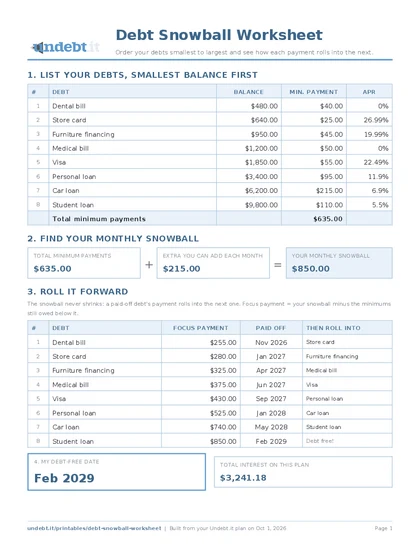
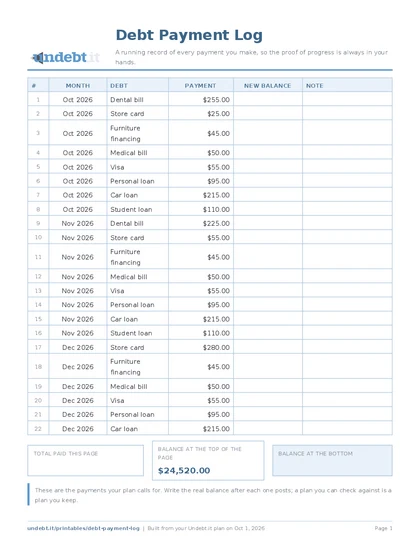
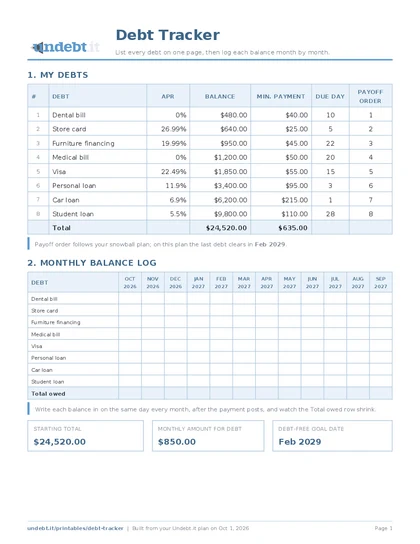
List your debts down the side, months across the top, a payment in every cell. Cross them off as you go and start climbing the debt payoff ladder.
This one came from a reader. They had built a spreadsheet with their debts down the side and the months across the top, a planned payment in every cell, and they crossed each payment off as they made it. When a debt was cleared, every later cell in its row said Done. By the end of the year the sheet was not a chart of progress; it was a receipt for a year of effort, and nothing on it had ever been erased.
The Debt Payoff Ladder keeps that idea and adds one trick: the debts are listed in reverse payoff order, with the one you will pay off last at the top and the one you are attacking first at the bottom. That way the Done cells form a staircase that climbs up and to the right as the months pass. Sorted the other way, the same data reads as something being wiped out. Climbing is better, and that climb is where the name comes from.
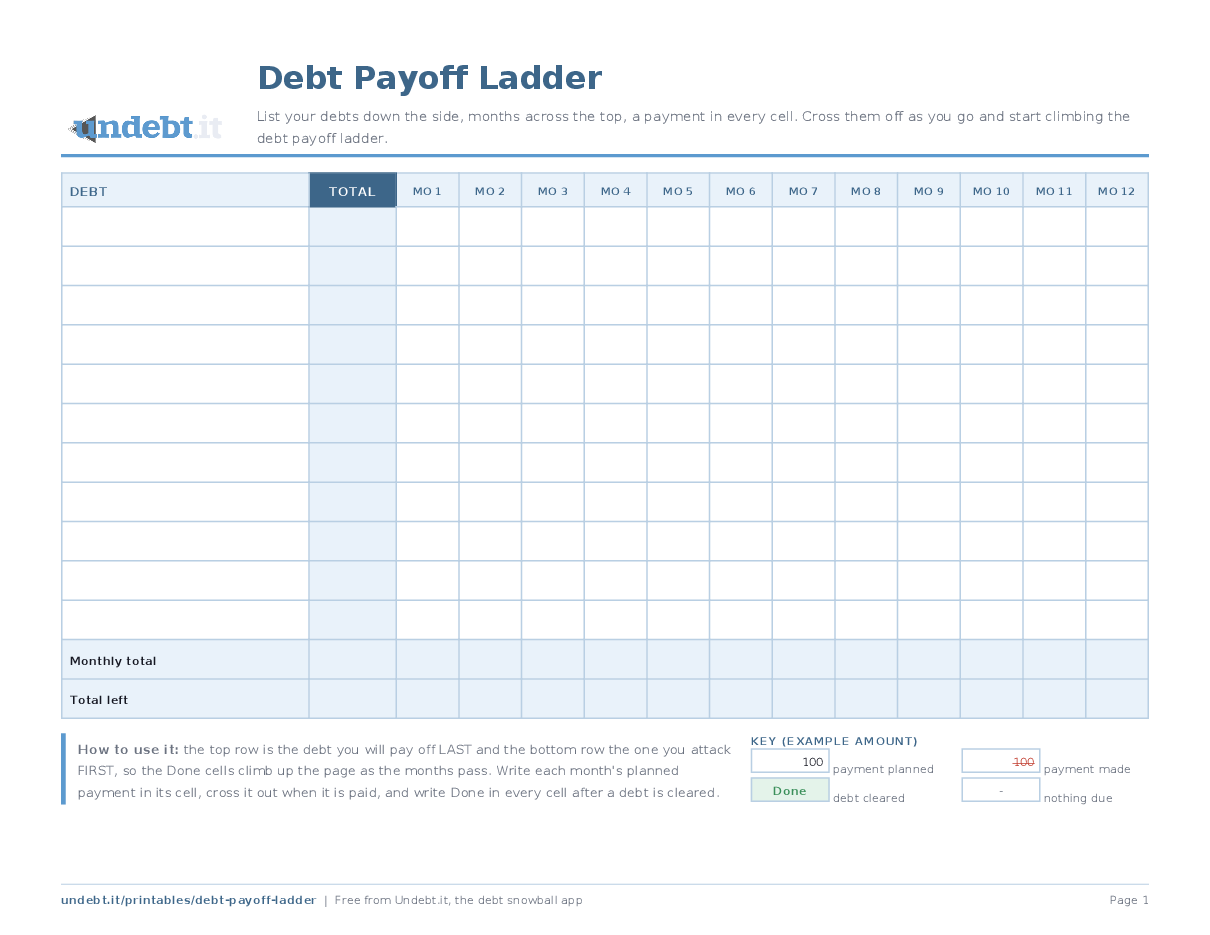
Blank, it is a payment matrix with room for eleven debts and twelve months, a Total column on the left and Monthly total and Total left rows underneath. Filled in from a real plan, with the actual payment in every cell and the Done cells already placed, it is the single best picture of a debt snowball we know of; that pre-filled version is what Undebt.it members download from Printables in the member menu, built from their own plan.
Download the free PDF
Free, no signup, no email address. Pick your paper size; every version is one page and prints on any home printer.
The ink saver version is the same sheet in black and gray for cheap printing. This one is landscape; choose landscape in your print dialog.
Rather have the numbers filled in for you? Undebt.it members can open Printables in the member menu and get this sheet built from their own plan. A free Undebt.it account is all it takes.
What it looks like filled in
The same sheet filled in with a sample snowball plan: eight made-up debts, $850 a month, twelve months, with the first three months of payments already crossed off in red. Watch the green Done cells: the dental bill clears in month two, the store card in month four, the furniture in month seven, the medical bill in month nine, the Visa in month twelve, and the Done region climbs up and to the right like a staircase. That is the ladder, and it is the snowball made visible; it only appears because the debts are listed bottom-up.
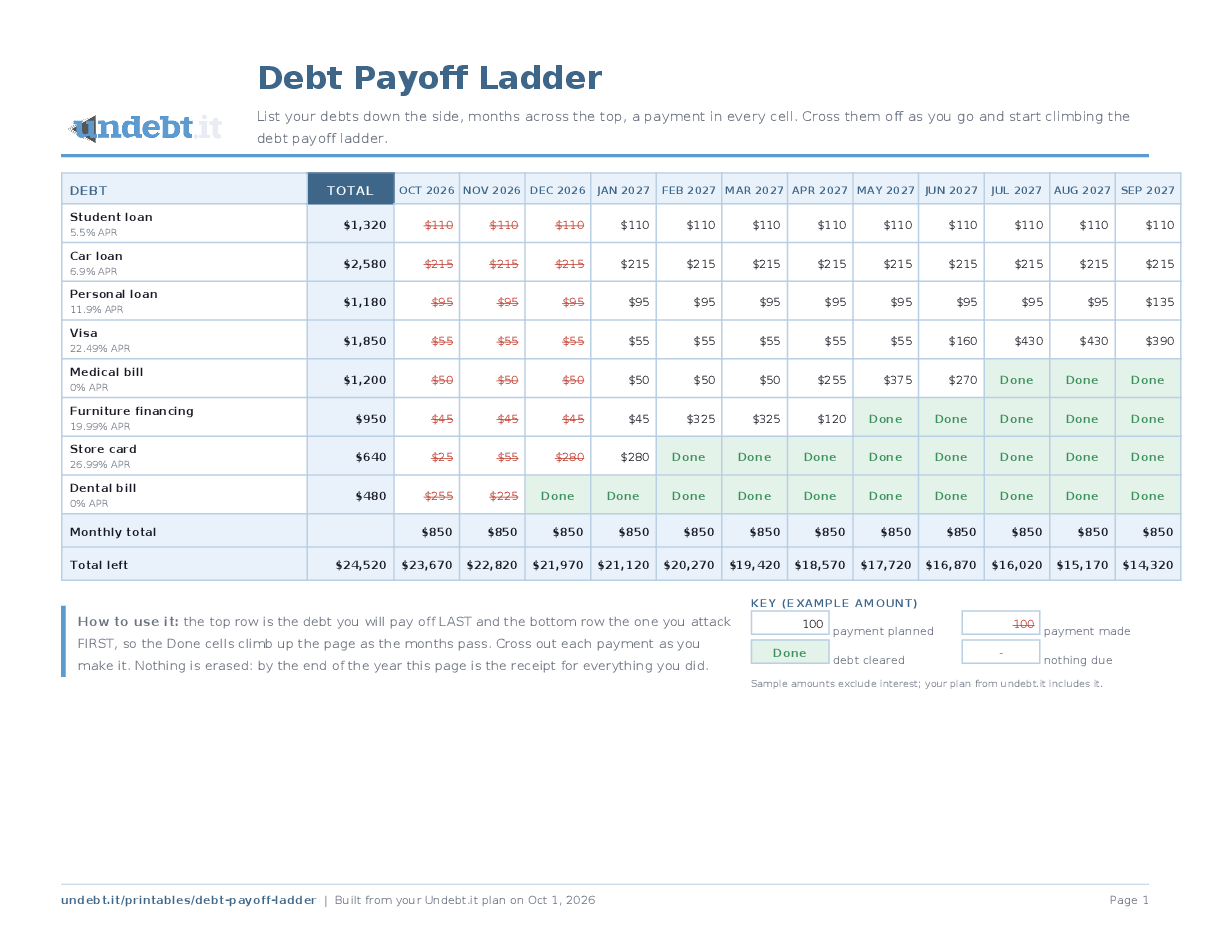
Open the filled-in example as a PDF. The download buttons above give you the blank sheet.
How to use it
- List the debts bottom-up. The debt you will pay off first goes on the BOTTOM row; the one you will pay off last goes at the top. Write the APR under each name.
- Write the month names across the top, starting with next month, and each debt's planned payment in its cells. A dash in a cell means nothing is due that month.
- Fill the summary rows. Monthly total is what you send to debt that month; Total left counts your whole balance down toward zero.
- Cross off, never erase. Draw a line through each payment when it is made. When a debt is cleared, write Done in every remaining cell of its row and watch the ladder grow.
Tips that make it stick
- Print it landscape and pin it somewhere long: above a desk, inside a cupboard door.It is a year-long document.
- Use a red pen for the cross-offs.The sheet should look busier every month, not cleaner.
- For a plan longer than a year, print one sheet per year.The second sheet starts with fewer rows than the first, which is its own reward.