
Undebt.it Now Has Mobile Apps!

The Undebt.it Mobile App(s)
After all of these years of me saying there would never be an Undebt.it mobile app, the time is finally here (and it’s free!). With the newly released website redesign, it was very easy to create installable apps for both Apple and Android. On the technical side, type of app is called a Progressive Web App (PWA). It’s meant to deliver an experience similar to a natively installed app, but it’s much simpler. You won’t find the app in the App Store or Google Play. Let’s get started with the setup process.
Installing on an Apple Device
The first step to install the app on an Apple device is to open Safari and log into your Undebt.it account. Click on the share icon on the top right hand corner of the screen.
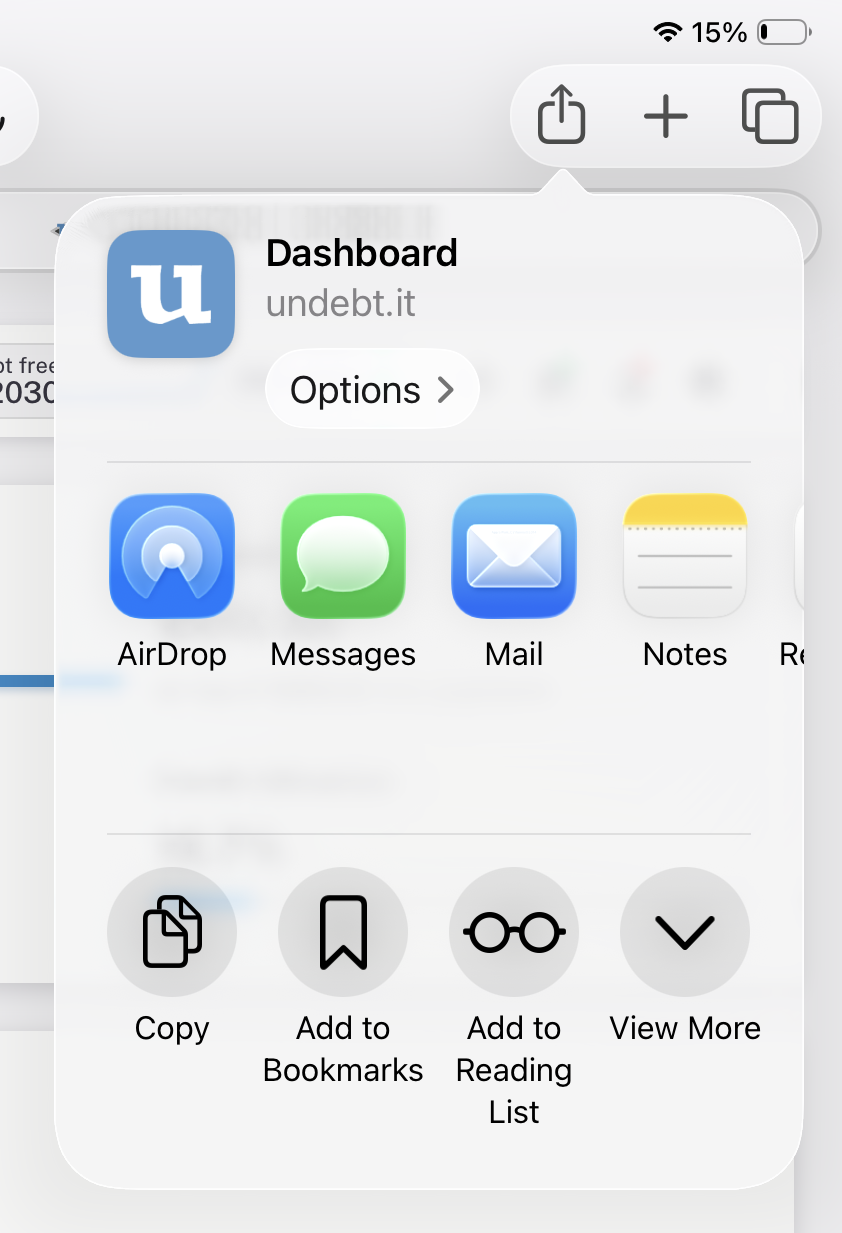
Then click on the View More menu to see some more options.
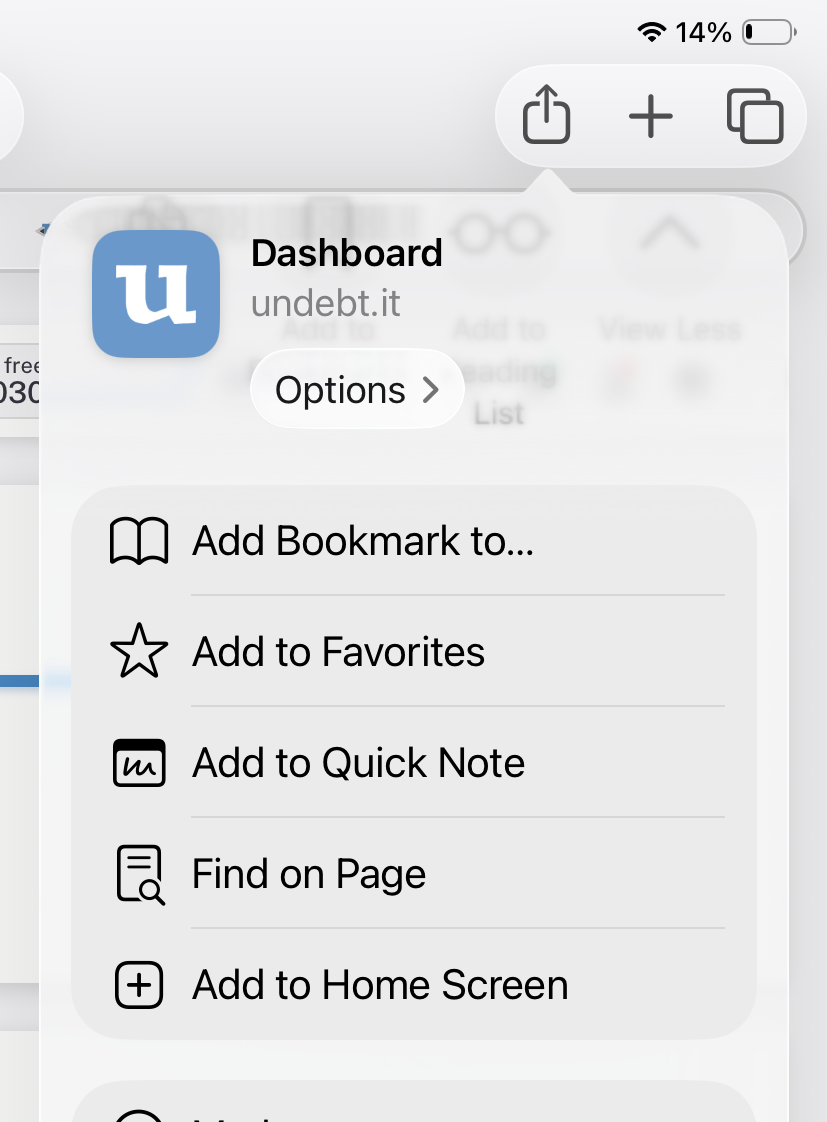
Select the Add to Home Screen option.
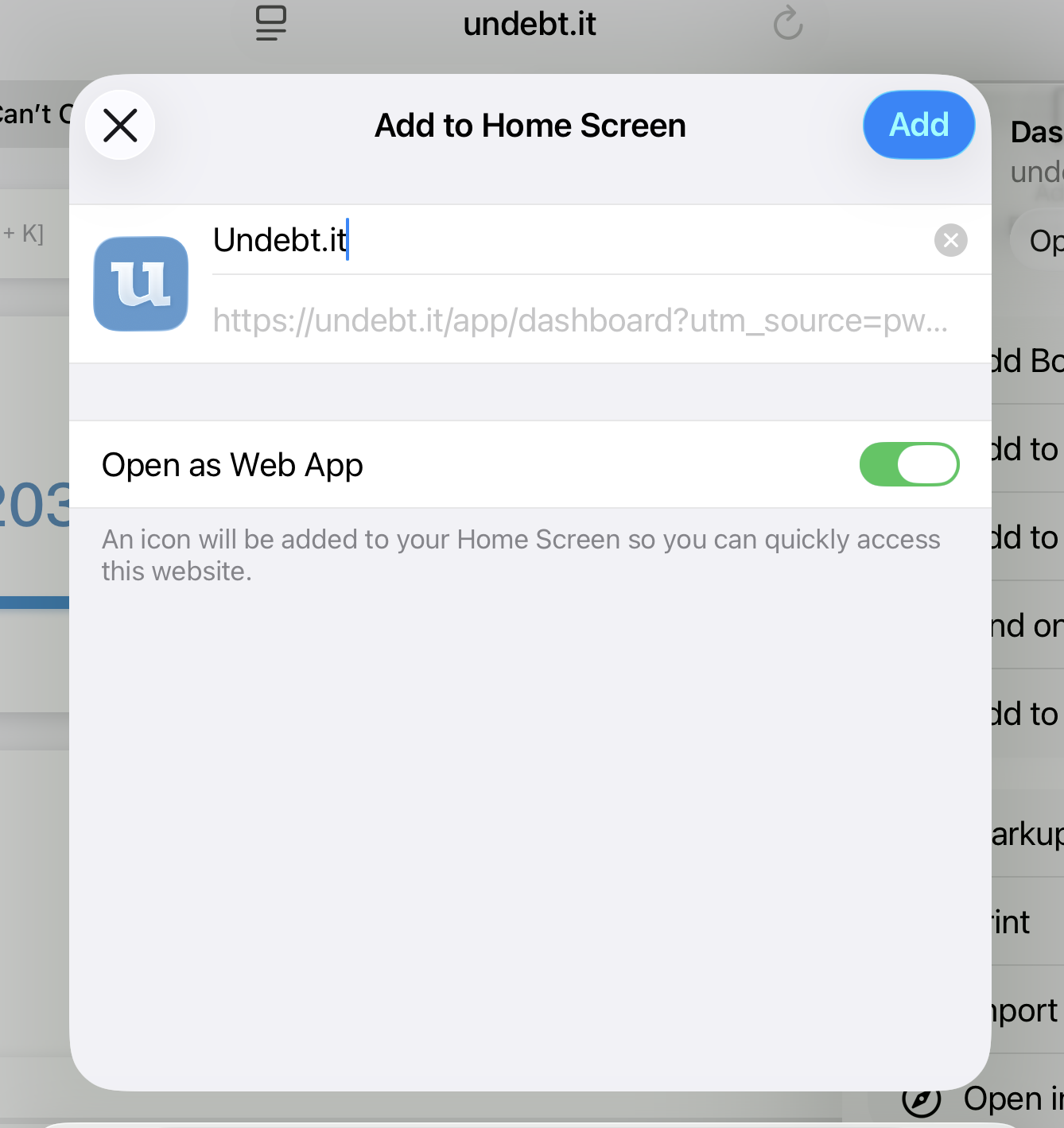
You can change the name of the app here if you want. Make sure the Open as Web App is enabled and then click the Add button. That’s all there is to it
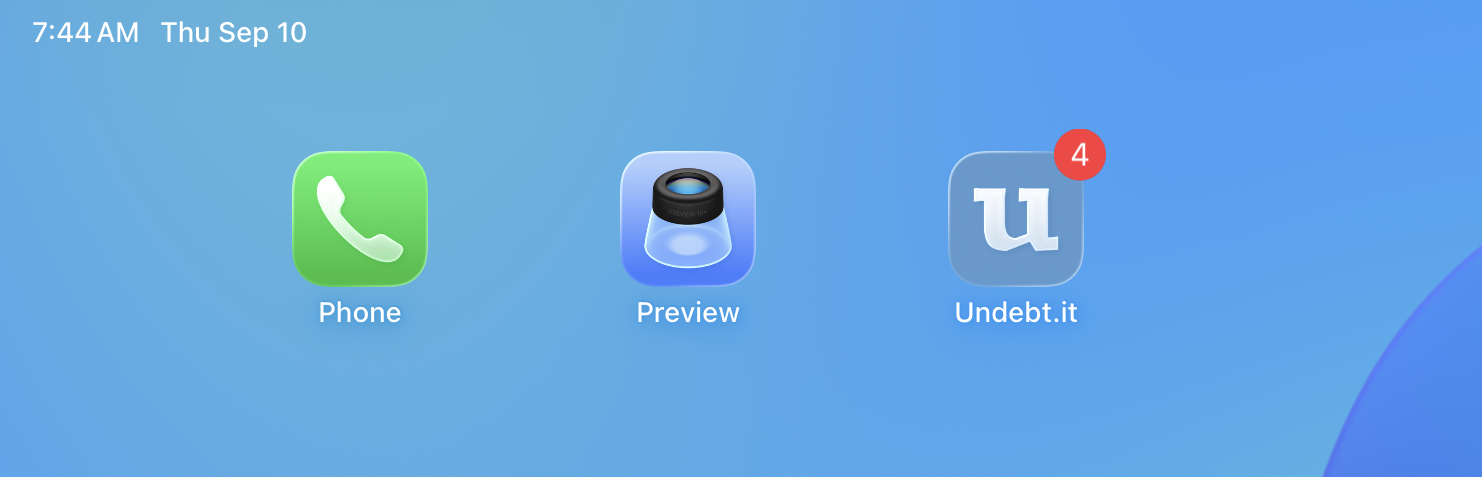
You will see a new app on your home screen. Note that you won’t see a badge count yet like in the screenshot; that step comes a little later.
Installing on Android Device
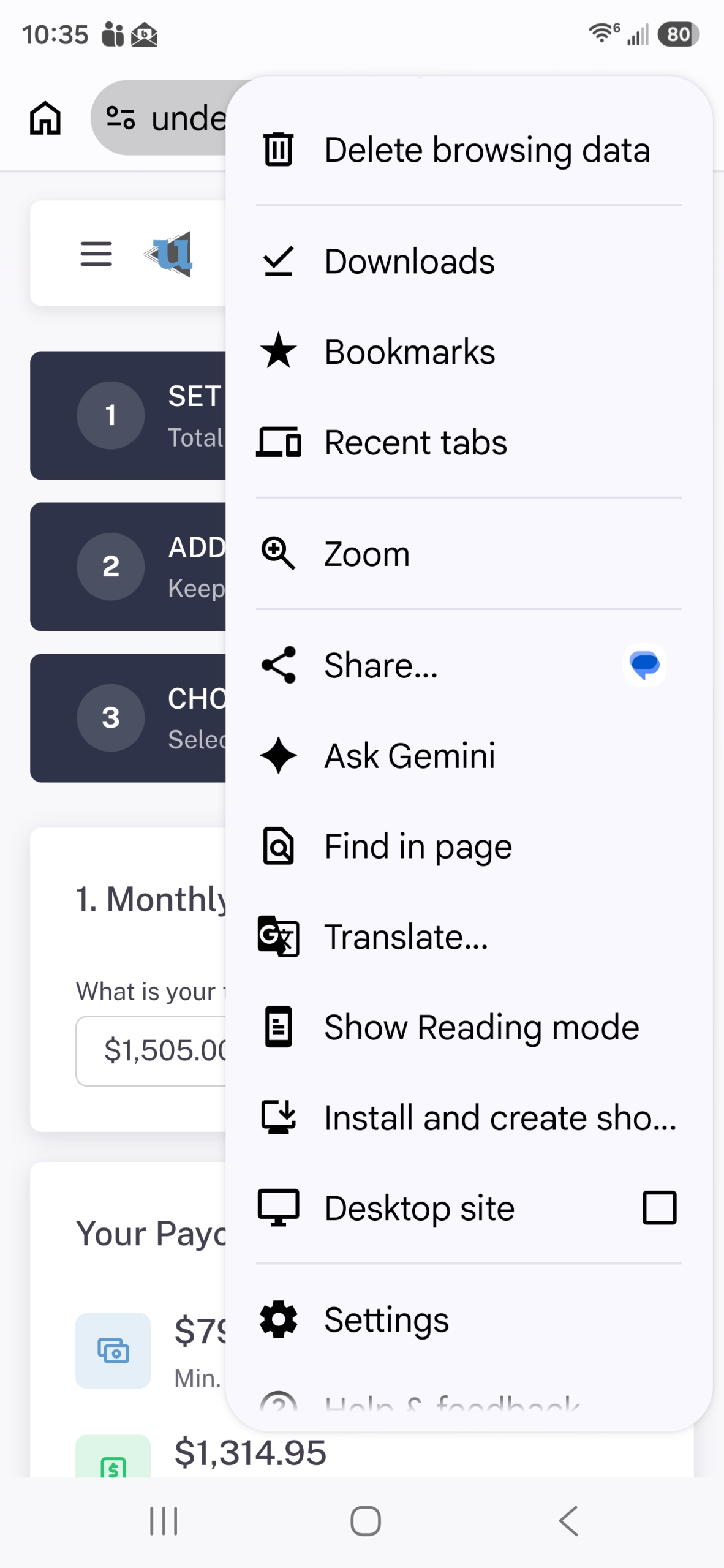
The process is very similar to the Apple process. On your phone, open up Chrome and login to your Undebt.it account. Click on the 3 dots on the top right-hand corner of Chrome and choose Install and create shortcut.
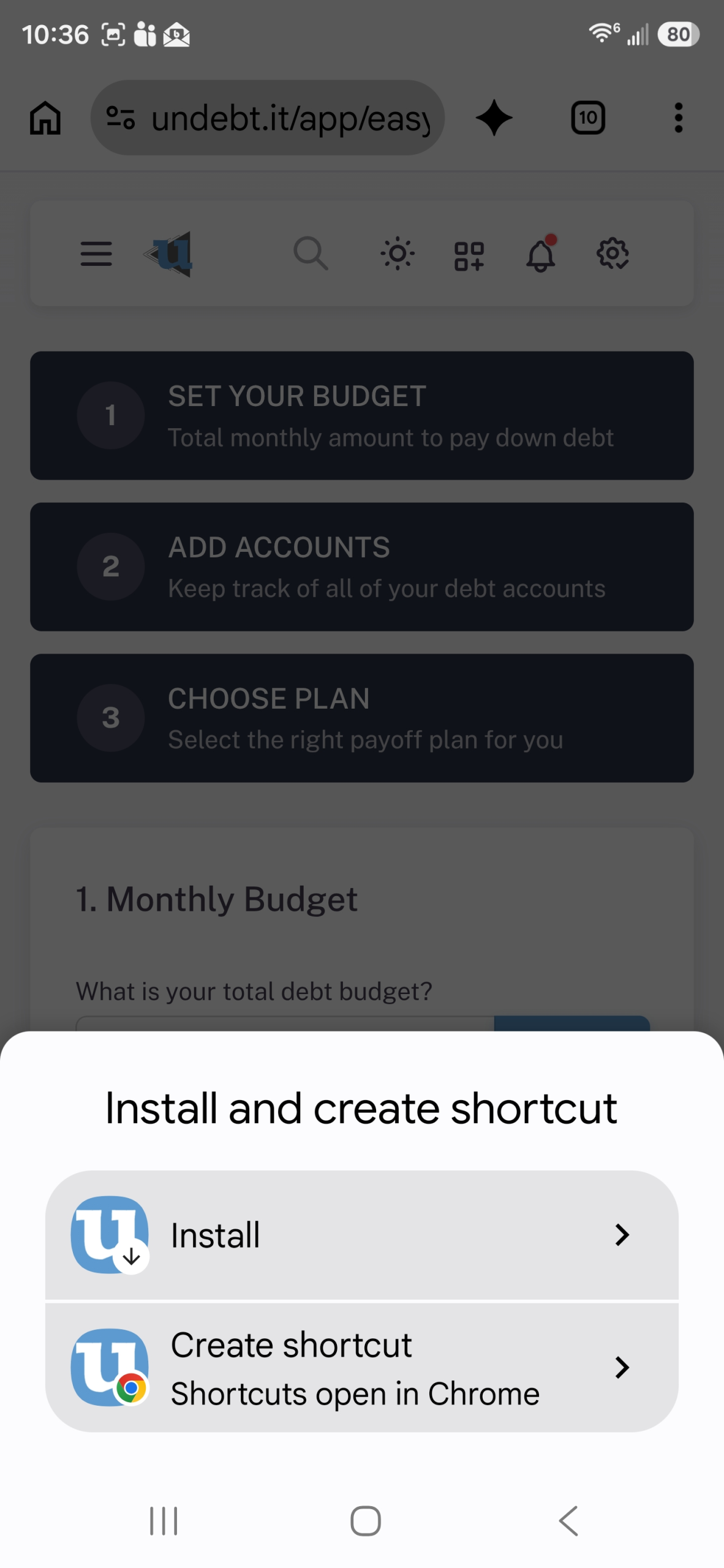
Next, click on the Install button.
App Notifications
It’s possible to turn on app notifications for the app. Currently, it is used for debt and bill payment reminders. Notifications need to be turned on for each device you would like to receive them on. Once you are logged into the app, head over to the My Account page and then over to the Options tab. There is a new section for push notifications.
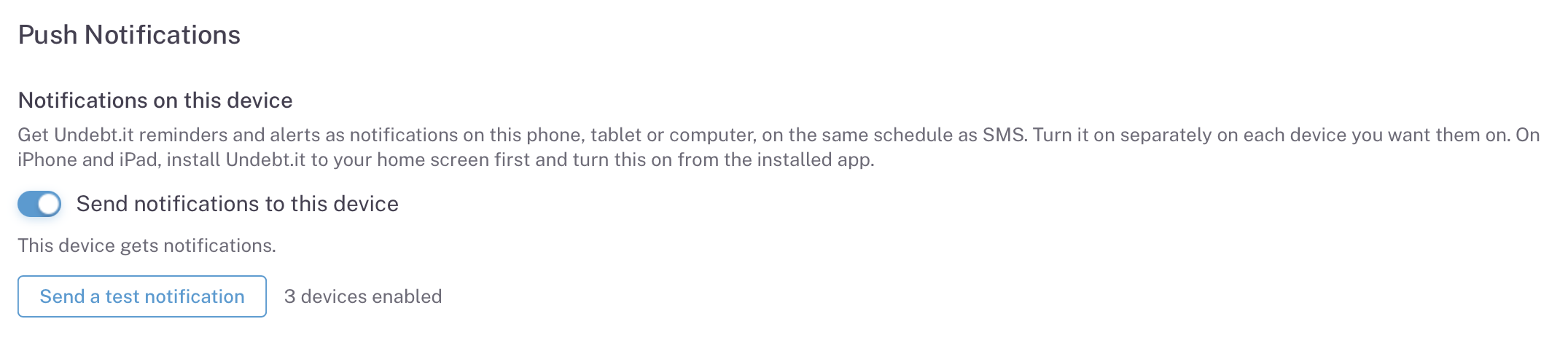
Flip the toggle to turn on push notifications for this device. Here’s a few notes on push notifications:
- While the app itself is free, push notifications are for Undebt.it+ members only. By the way, you can now pay for an Undebt.it+ membership with Apple Pay.
- The push notifications even work on browsers. For example, you could be a Windows user and still be able to turn on push notifications. You don’t need to install the app to make notifications work; it will work within the browser.
- The number badge on the icon as seen on the screenshot above only works on Mac and iOS devices.
What the App Does and Doesn’t Do
Since this is a PWA app, it’s not a full blown, native app. The main drawback is that you need an active internet connection for it to work. I am working on adding some offline functionality to it down the road. Other than that, you won’t really be able to tell the difference. Once nice thing about this setup is that you will always be on the most current version of the site; there won’t ever be any app updates to deal with.
Once again, the app is free to use, so please give it a shot and let me know how it works out for you.


Nice……I like it – Thanks!
Thanks. Seems to be working well.