Every payoff plan runs into the same questions sooner or later. What if I put the tax refund toward the cards? What if I found another $100 a month? What if I switched methods? What-If Scenarios answers them with your actual plan, not a blank calculator: your debts, your budget, and your payoff method, recalculated with the change applied. The answer comes back as a date.
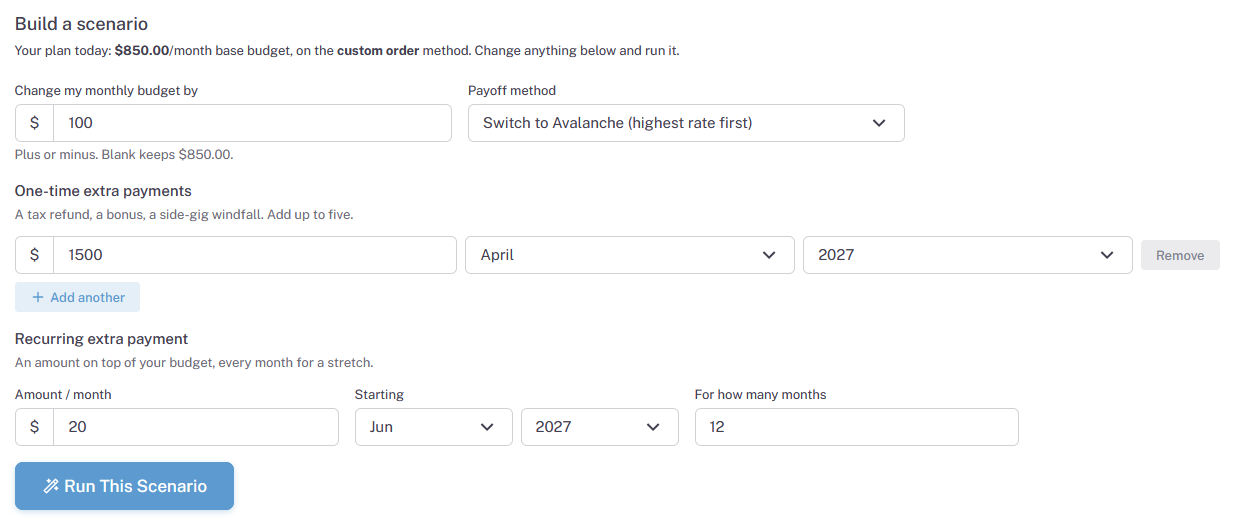
Four Builder Options, One Scenario
A scenario starts from your plan as it stands today, and you can pull any of these levers, in any combination, in a single run:
Change Your Monthly Budget
Raise it or lower it. Add $100 a month, or see what happens if you have to pull $50 back for a while. Leaving it blank keeps your current budget.
Switch Payoff Methods
Keep your current method or try the plan on a different one, so a move like snowball to avalanche stops being a debate and becomes a number.
One-Time Extra Payments
A tax refund, a bonus, a side-gig windfall. Add up to five of them, each with its own amount and month, and see what the lump sums buy you.
A Recurring Extra, for a Stretch
An amount on top of your budget, every month, for however many months you choose. Perfect for modeling a temporary second income or a short-term cutback.
The Result Is a Date, Not a Chart You Have to Decode
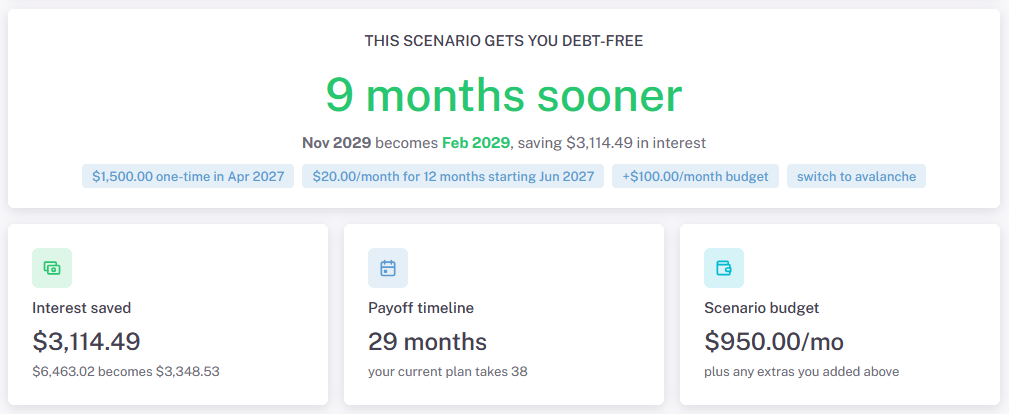
Run the scenario and the verdict comes back in plain English: debt-free nine months sooner, November 2029 becomes February 2029, and here is the interest you would save. Below the headline, the details are laid out one card at a time: total interest before and after, the payoff timeline in months next to what your current plan takes, and the scenario's monthly budget so you know exactly what you would be committing to.
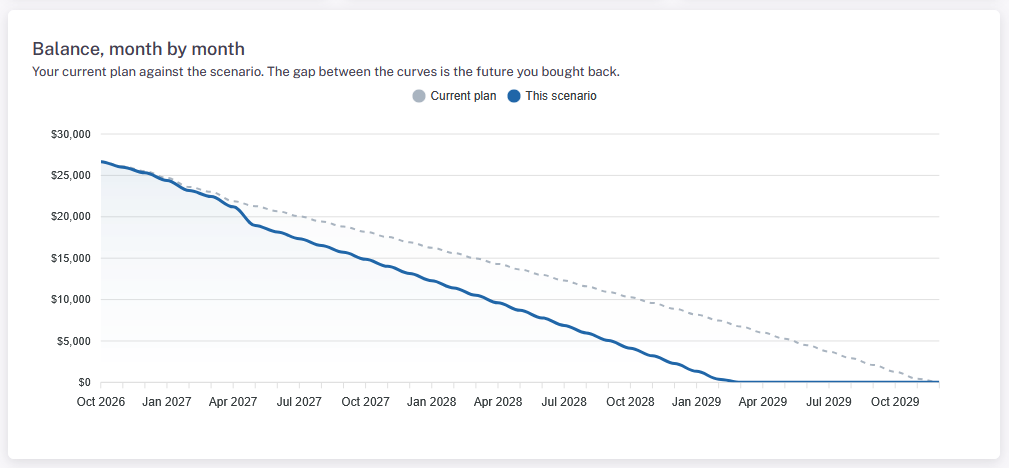
Under the cards, a month-by-month chart draws your current plan against the scenario, balance by balance, all the way to zero. The gap between the two curves is the future you bought back.
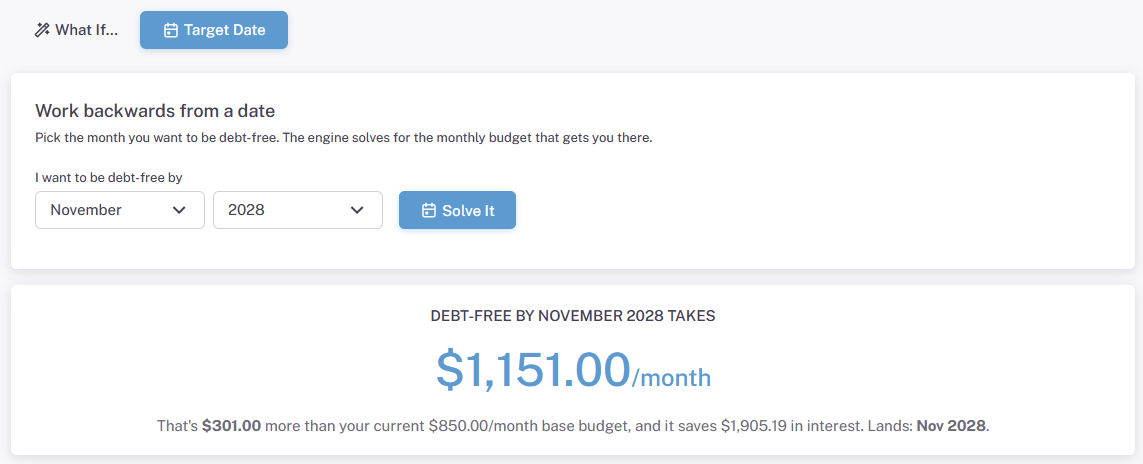
Or Flip It: Start From the Date You Want to be Debt Free
Sometimes the question runs the other way. Not "what does $200 more buy me?" but "what does debt-free by December take?" Target Date mode works backwards: pick the month and year, and the engine solves for the monthly budget that gets you there. You get the exact figure, how much more per month it is than what you pay today, and the interest it saves along the way.
The Part a Blank Calculator Can't Do
There are plenty of extra-payment calculators on the internet. Every one of them starts the same way: an empty form, waiting for you to re-type balances and rates you already track somewhere else, so it can hand back an answer about a plan that is not quite yours.
What-If Scenarios starts from the other end. It already knows your plan, because it is the plan you keep in Undebt.it: every debt, every rate, your real budget, your chosen method. That is what makes stacking a budget change, a method switch, and three windfalls into one scenario possible.
What It Does, and What It Doesn't
What-If Scenarios models changes to your real payoff plan: monthly budget increases or decreases, payoff method switches, up to five one-time extra payments, and a recurring extra payment for a set stretch of months, all stackable in a single run. It reports the new debt-free date, interest saved, payoff timeline, and scenario budget, charts the balance month by month against your current plan, and can solve backwards from a target debt-free date. It works in any web browser on any device.
It does not move any money, and it does not touch your actual plan: a scenario is a model, and your plan stays exactly as it is until you decide to act on what you learned. Structural changes to the debts themselves, like consolidating or moving a balance, are the job of Debt Restructuring, a separate Undebt.it+ feature.