Stop Manually Adjusting Account Balances
Undebt.it can finally sync with your bank! Manually tweaking the account balances and adding transactions by hand is now a thing of the past. SimpleFIN sync removes that chore. Connect your bank through SimpleFIN Bridge and Undebt.it+ pulls your current balances (and optionally, transactions) every night, then recalculates your snowball or avalanche plan so the debt-free date you see is built on real numbers.
You do not have to use a budgeting app to get there. The YNAB integration has done this for YNAB users since 2018; SimpleFIN brings the same automatic updates to anyone with a bank account, and it works with a wide range of banks, credit unions and card issuers.
SimpleFIN sync is available to every Undebt.it+ member now. Log into your Undebt.it account and go to the SimpleFIN Sync page (it's located in the My Account link section).
What the Sync Does for You
Connect once
Link your bank inside SimpleFIN, paste a one-time setup token into Undebt.it, and the connection stays live. There is nothing to re-enter and no bank password ever touches Undebt.it.
Balances update every night
One request per night pulls the current balance on every mapped account, writes it to the matching debt and recalculates your payoff plan. Wake up to a plan that already knows what happened yesterday.
Payments and charges, imported
Turn on Import transactions for an account and the payments you make and the charges you rack up land on that debt automatically. The first import backfills the last 90 days so your history is not blank on day one.
Read only, by design
SimpleFIN shares balances and transactions and nothing else. Undebt.it cannot move money, make payments or change anything at your bank. Disconnect at any time from either side.
Here's What You Need to Make This Work
There are two things required to make the link work:
- A SimpleFIN Bridge account with your bank connected. SimpleFIN is a small, independent service that does one thing: it connects to your financial institutions and passes read-only account data to the apps you approve. You sign up and pay SimpleFIN directly for a low-cost subscription; Undebt.it takes no cut and adds nothing on top.
- An active Undebt.it+ account. There is a one-click, no credit card required, free 30 day trial available on the My Account page. If you have already used the free trial and want to give it another shot, send me a message on the contact form and I can give you some more time to test it out.
Getting Started with the Integration & Syncing
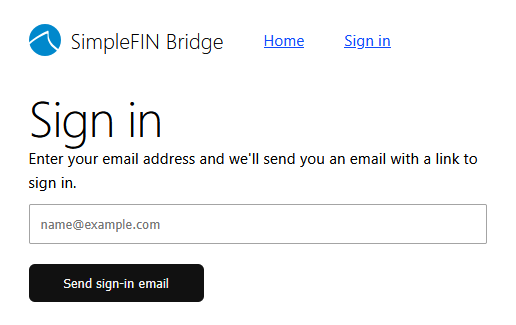
Start on the SimpleFIN side. Click on the Open SimpleFIN Bridge button and use your e-mail address to log into your SimpleFIN Bridge account. Logging in and creating an account use the same e-mail process. Note that the e-mail address you use for SimpleFIN does not have to match your Undebt.it account. Once again, Undebt.it will not have access to any of your account login information at any time.
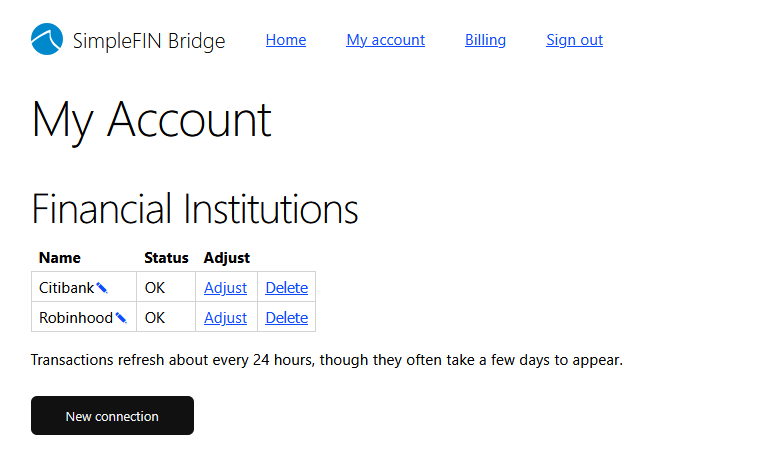
The next step is to connect your banking institutions. Click on the New Connection button and you can search for your bank. Repeat the process for each bank or credit card. In the example below, I have two different connections setup. This is also the area where you can delete your banking connections if needed.
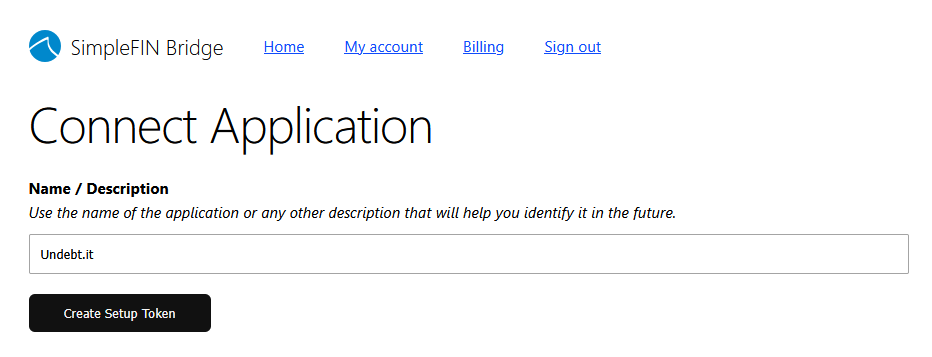
Now that you have connections set up, the next step is to create an app connection. This is what is used to let Undebt.it communicate with SimpleFIN. Click the new app connection button and give it a meaningful name, "Undebt.it" will work just fine.
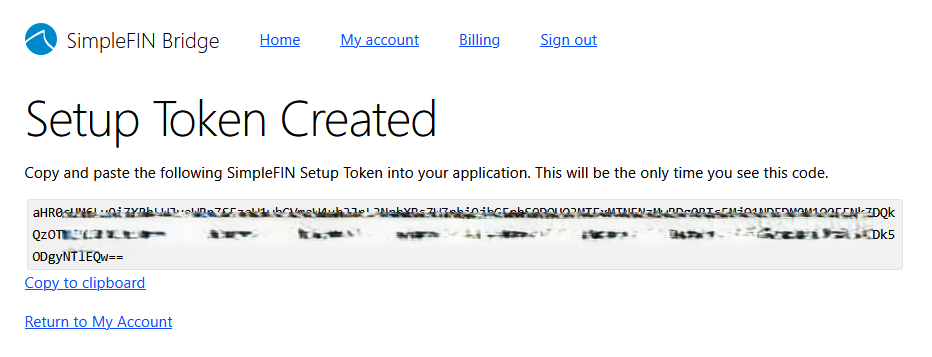
The final step on the SimpleFIN side is to create a setup token. Click the Create Setup Token button and a new token will be generated. Use the copy to clipboard link. A setup token is a long string of characters that can be claimed exactly once, by one app; think of it as a single-use key rather than a password. Keep this tab open until the Undebt.it setup is completed.
Back on the Undebt.it side, you will want to paste the token into the box and then hit the Connect button. Once the connection is complete, the setup token itself is spent and cannot be reused by anyone.
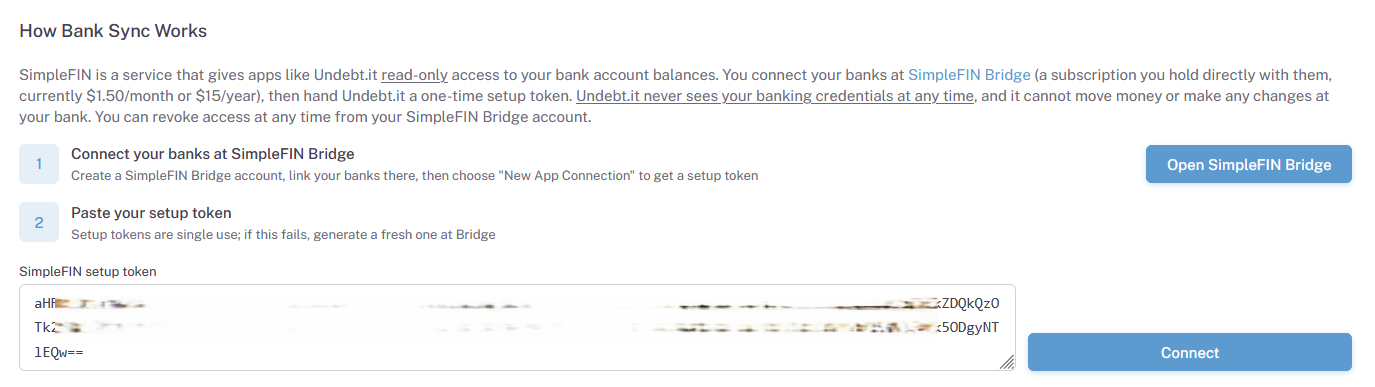
If everything goes well, you'll get a notice that the link setup was successful and you can begin the mapping process.

I have updated the privacy policy to cover the SimpleFIN integration and how your data is handled. Undebt.it never has access to your bank account login credentials at any time; those live with SimpleFIN and your bank.
Mapping Your Accounts
The mapping process is pretty straightforward. If you have used the YNAB mapping page, then this will be familiar. Once connected, you will see a list of every account SimpleFIN found, along with its current balance as reported by your bank. For each one you have three choices:
- Ignore the account: Undebt.it will not do anything with it. Checking and savings accounts usually land here. Daily spend credit cards are a good choice here too, since you should be paying off the balance anyway.
- Add the account to Undebt.it: This creates a new debt account, adds it to your active debts and fills in the balance from your bank. Afterwards, open the debt details page for the new account and set the interest rate, minimum payment, due date and anything else your bank does not report.
- Assign the account to an existing debt: Use the pulldown to match the bank account to the Undebt.it debt you already track. The current Undebt.it balance is shown next to each name so you can confirm you picked the right one.
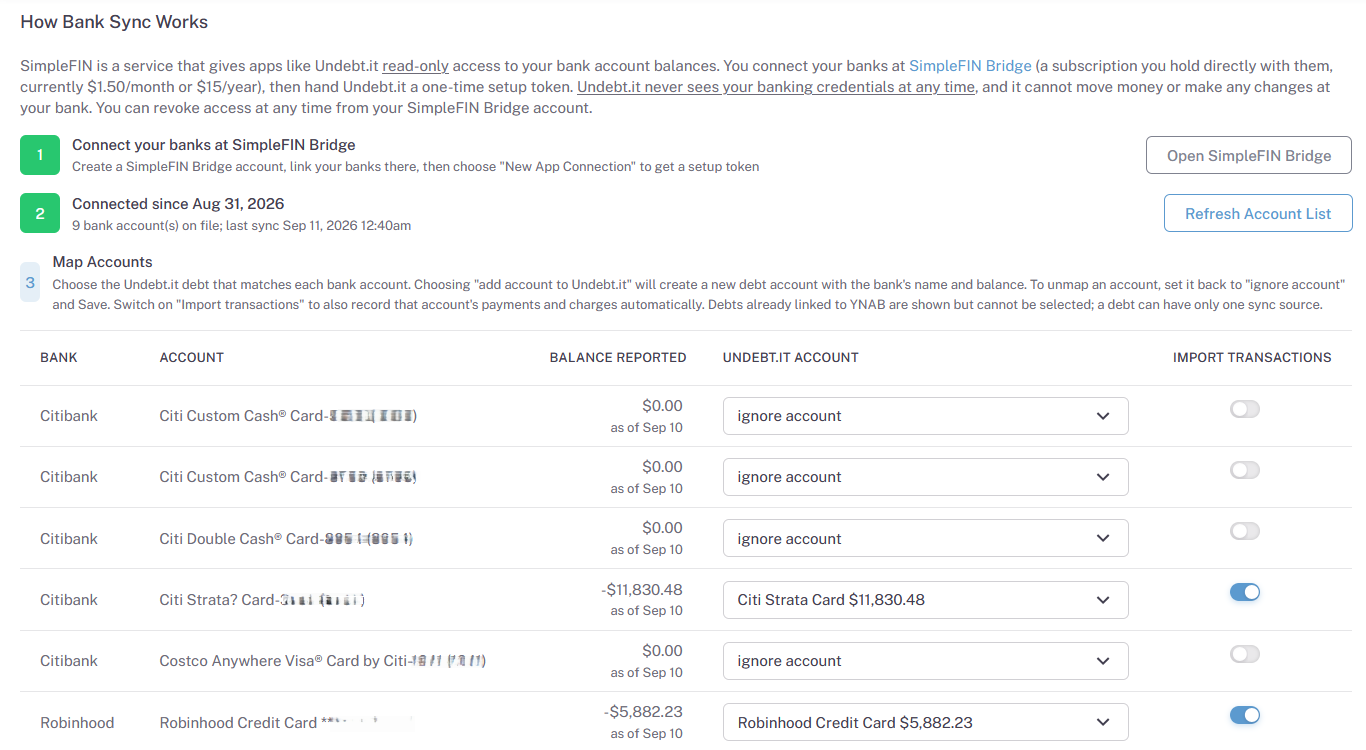
Debts that are already linked to YNAB are shown but cannot be selected. A debt can only have one source of truth, and the same rule applies in the other direction on the YNAB Sync page.
When you are done, click the save button and your mapped balances update right away. You don't have to do all of the mappings at once; you can come back to this page and map an account or two whenever you like. To stop syncing a single debt later, set its row back to ignore and save again.
Important: Go into the debt details for each new account and set up the interest rate, due date and minimum payment amount. This information is not part of the syncing process, so you need to manually adjust the accounts.
Importing Transactions
Balance sync is on for every mapped account. Transaction import is a separate, per-account choice: each mapped row has an Import transactions switch. Turn it on and the nightly sync also brings over the payments you made and the charges you added on that account, recorded on the debt the same way the YNAB import records them. The first run backfills roughly the last 90 days; after that, each night picks up whatever is new, corrects anything your bank amended and removes anything it reversed.
If you already record payments on that debt another way, leave the switch off or turn the other method off. It's important to use just one method for each debt account:
- Import from SimpleFIN: Payments and charges flow in from your bank automatically.
- Autopay: The standard "Autopay?" option on the debt details page records the planned payment amount on the due date, regardless of what the bank shows.
- Manual: You enter payments yourself in the "add a transaction" section of the debt details page.
Running the import alongside autopay on the same debt would record every payment twice, so the page warns you when both are on.
Syncing Information
Your accounts sync automatically once a night, so there is no action required on your part. Undebt.it makes a single request to SimpleFIN per member per night, updates every mapped balance, imports any new transactions on accounts that have the switch on, then recalculates your payoff plan. If you want to confirm it is working, open the SimpleFIN Sync page and check the last-synced time shown for the connection.
Moving From YNAB to SimpleFIN
If you have been using the YNAB integration and want to switch a debt over, unlink it from YNAB first, then map it on the SimpleFIN Sync page. Your history is safe: when the first SimpleFIN import runs, it recognizes the payments that YNAB already brought over and adopts them instead of adding a second copy. Payments you entered by hand are never touched.
Disconnecting
To stop syncing one debt, set its row to ignore and save. To stop everything, click the disconnect button on the SimpleFIN Sync page and Undebt.it drops its stored access to your bank data. Nothing happens to your debts or their transactions either way. You can also revoke Undebt.it from inside your SimpleFIN account, which has the same effect from the other side.
What It Does and Doesn't Do
The plain facts, so there are no surprises:
- It reads balances and transactions. It cannot make payments, transfer money or change anything at your bank. SimpleFIN's protocol is read-only.
- It updates once a night, not in real time. A payment you make this morning shows up tomorrow.
- Transaction import is opt-in per account. Nothing is imported until you flip the switch.
- It syncs balances and transactions only. Interest rate, minimum payment and due date are yours to set on the debt details page, because banks do not report them consistently.
- It covers the institutions SimpleFIN can connect to. If your lender is not available there, Undebt.it cannot reach it either; the YNAB integration and manual entry still work as before.
- One debt, one source. SimpleFIN and YNAB cannot both feed the same debt.
- Undebt.it never stores your bank login. The access SimpleFIN grants is stored encrypted and is deleted when you disconnect.
Some Important Notes Regarding the Integration
SimpleFIN is a separate company with its own subscription, its own bank coverage and its own terms. If a bank connection breaks on their side, or a bank stops cooperating with them, the sync for that account pauses until the connection is repaired in your SimpleFIN account. Undebt.it will keep the last balance it received and your plan keeps working from it.
If you try the integration and it's not for you, disconnect on the SimpleFIN Sync page and, if you like, cancel your SimpleFIN subscription. Your Undebt.it data is unaffected.