Now You Can Pay Off a Debt by a Target Date
Undebt.it+ members can now give any debt a pay-off date, and the plan makes sure it's paid off in time, whether it's a vacation, a 0% promo or a buy now, pay later plan.

Paying off a debt by a deadline
This has been one of the most common requests I’ve gotten over the years, and I could never quite get the math to work the way I wanted. Some debts come with a hard deadline: a 0% promo with deferred interest, a buy now, pay later plan or a tax bill. The debt snowball and avalanche methods don’t know anything about deadlines, so a debt like that could sit and wait its turn while the date came and went. A lot of people worked around it by entering a made-up interest rate to push the debt to the front of the line, which doesn’t work very well either.
Starting today, Undebt.it+ members can give any debt a pay-off date, and your plan makes sure it gets paid off by then.
How it works
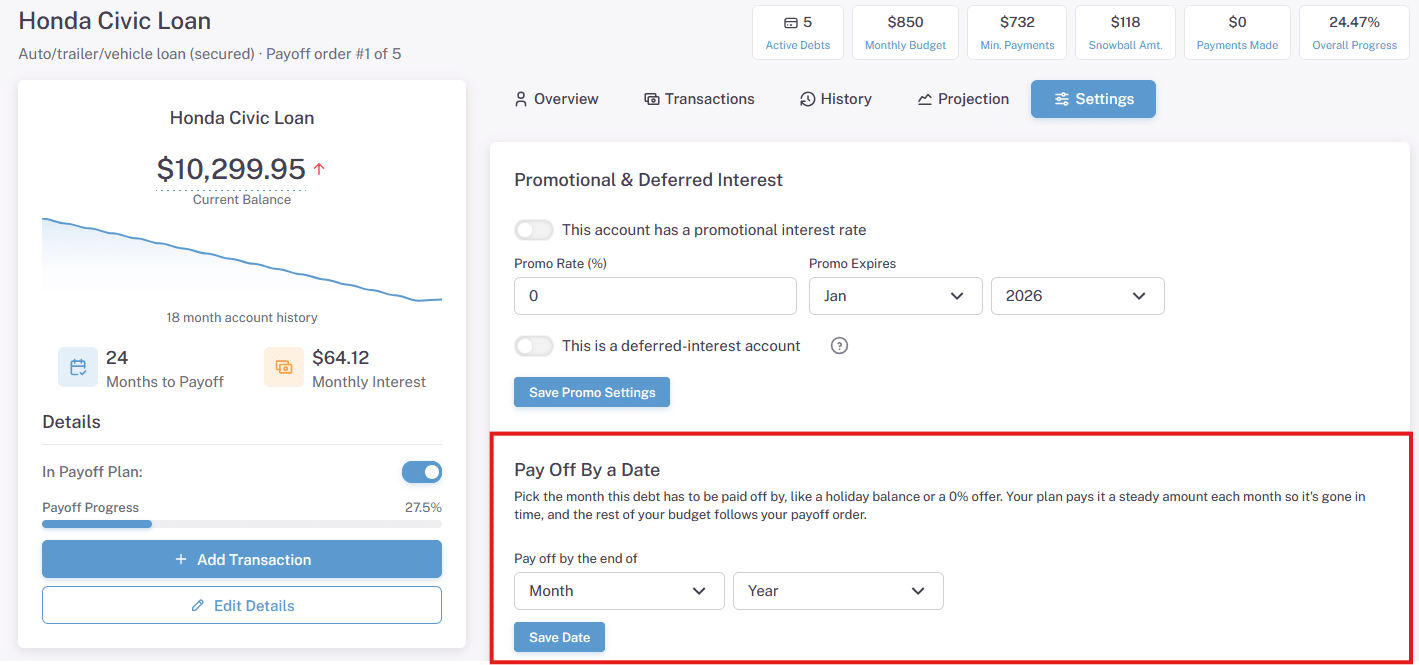
Open a debt from your Account List and go to the Settings tab. There’s a new section called Pay Off By a Date. Pick the month and year and click Save Date.
Your plan works out the steady monthly payment that pays the debt off by the end of that month, interest included, and makes sure it gets at least that much every month. For a 0% debt it’s simply the balance divided by the months left, so a $2,400 promotion due in eight months is $300 a month.
The extra money comes out of your snowball, so your total monthly payment doesn’t change, and whatever is left over still goes to your other debts in your payoff order. It’s recalculated every month too. If you throw some extra money at the debt, the monthly amount goes down.
What it costs
Paying a 0% debt early means less money going to your higher interest debts, so a date can cost you some interest. The debt settings page tells you exactly how much more interest the date adds compared with your plan without it. Sometimes that’s well worth it (losing a vacation deposit or getting hit with deferred interest is a lot worse), and sometimes you’ll want to push the date back a bit.
When your budget can’t make the date
If your monthly payment isn’t enough to hit the date, Undebt.it lets you know in three places:
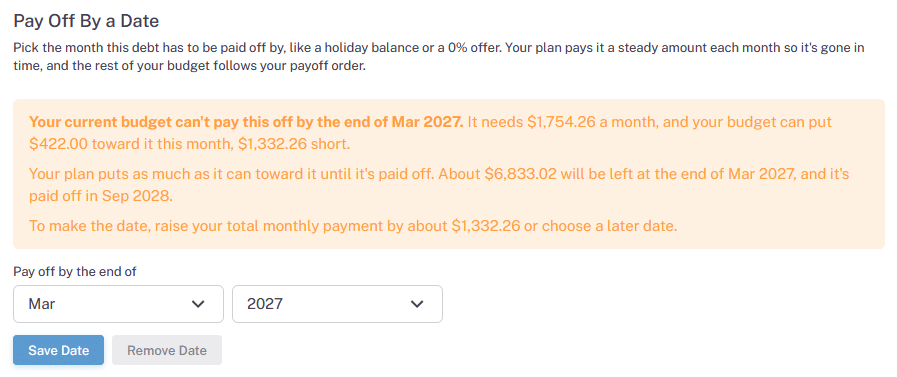
- The debts’ settings page shows what the date needs each month, how much your budget can put toward it, how much will still be left on the date and when it will actually be paid off.
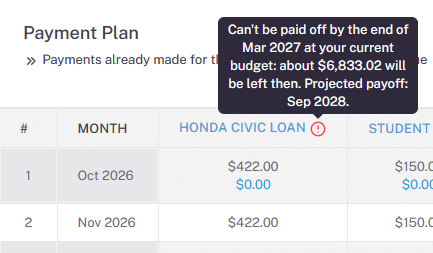
- A red exclamation mark shows up next to the debts name on the Payment Plan page. Hover over it to see the details.
- A warning on your dashboard lists every pay-off date your budget won’t make.
Your plan still puts as much as it can toward the debt, and if the date passes before it’s paid off, the debt stays first in line until it’s gone. To make the date, you can raise your monthly payment or pick a later date.
Deferred interest promos
With a deferred interest promo, any balance left when the promo ends can get charged all of the interest back to day one, so I recommend finishing a month early. If you’ve marked a debt as a deferred interest account and set its promo end date, the date picker fills in the month before the promo ends for you. Keep in mind, this is for a deferred interest balance, not a regular credit card balance transfer for example.
Available today
Pay Off By a Date is available now for Undebt.it+ members. Free accounts will see it on each debts Settings tab along with a link to learn more. For all of the details, see the FAQ article How do I pay off a debt by a certain date?
Let me know what you think!