
Undebt.it Redesign Launch 2026

Time For a Change
The current version of Undebt.it has been in place for nearly 10 years and the time has come for a long overdue facelift. I decided to go back to the drawing board and rebuild the site from the ground up. The main goal of the redesign is to make the site easier to use across all devices. A lot of effort has gone into making the site much more mobile friendly. Enough chit-chat, let’s move on to what’s new in version #5.
Starting at the Top
I’m really happy with how the new top navigation bar turned out. It’s compact, but full of features. You can always see your debt free date from any page and it will also stay sticky at the top of the page. The line chart shows a full year of payoff progress; hover your cursor over it and you can see the details. There is an up/down indicator comparing your current balance to the beginning of the month.

Search Like a Pro
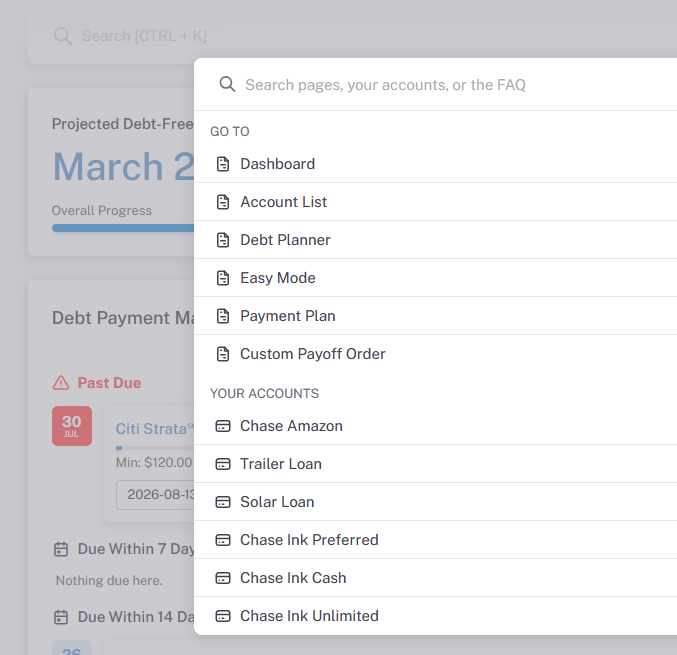
The new top bar has one of my favorite new features; a beefed up search box. You can search the FAQ by term like you could before, but now you can search by page and even by account name. Just start typing and you’ll get to where you need to be.
Light/Dark Mode
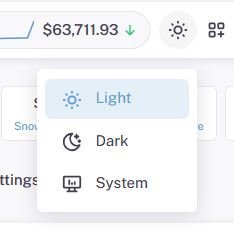
The next brand-new feature is light/dark mode. This has been an ongoing feature request and I’m happy to announce that it’s finally here. You can choose from light, dark & system mode. System will use your devices current setting automatically. This is a per-device setting, so you can have your phone use dark mode and your laptop use system.
Information Tiles Pop-Up
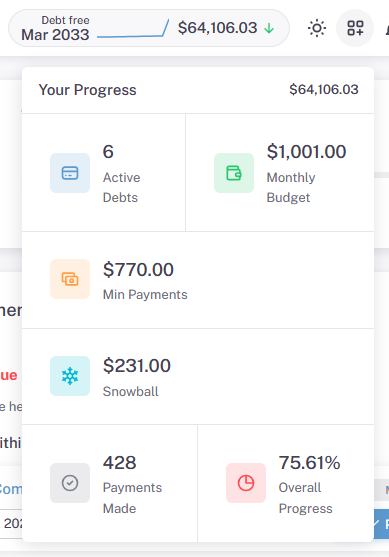
This button is meant to help out mobile users since the regular set of 6 info tiles are hidden, but desktop users might like it too. It’s quick way to see your high level account information in once place. There is still some work to do here, so expect it to look much fancier soon.
Alert & Status Pop Up
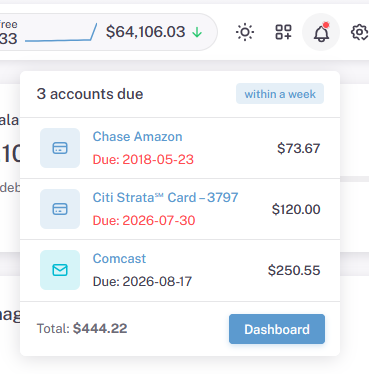
You can easily see if you have a debt or bill payment due or close to being due. The red asterisk means that your attention is required. You’ll see a list of your most recent payments due. Clicking on the account name will take you to the account details page.
Other Links & Interface Selection
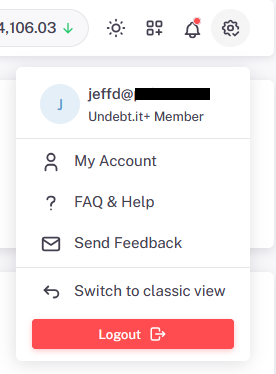
The last item on the tap bar shows you your Undebt.it+ account status and also has links to the FAQ, contact and my account pages. You can also switch back to the “classic” version if you prefer that version better. The classic version will still be active, but I won’t be adding any new features to it. When the new site goes live, there will be a “switch” link on there too, so you can switch back and forth as needed.
The Core Pages
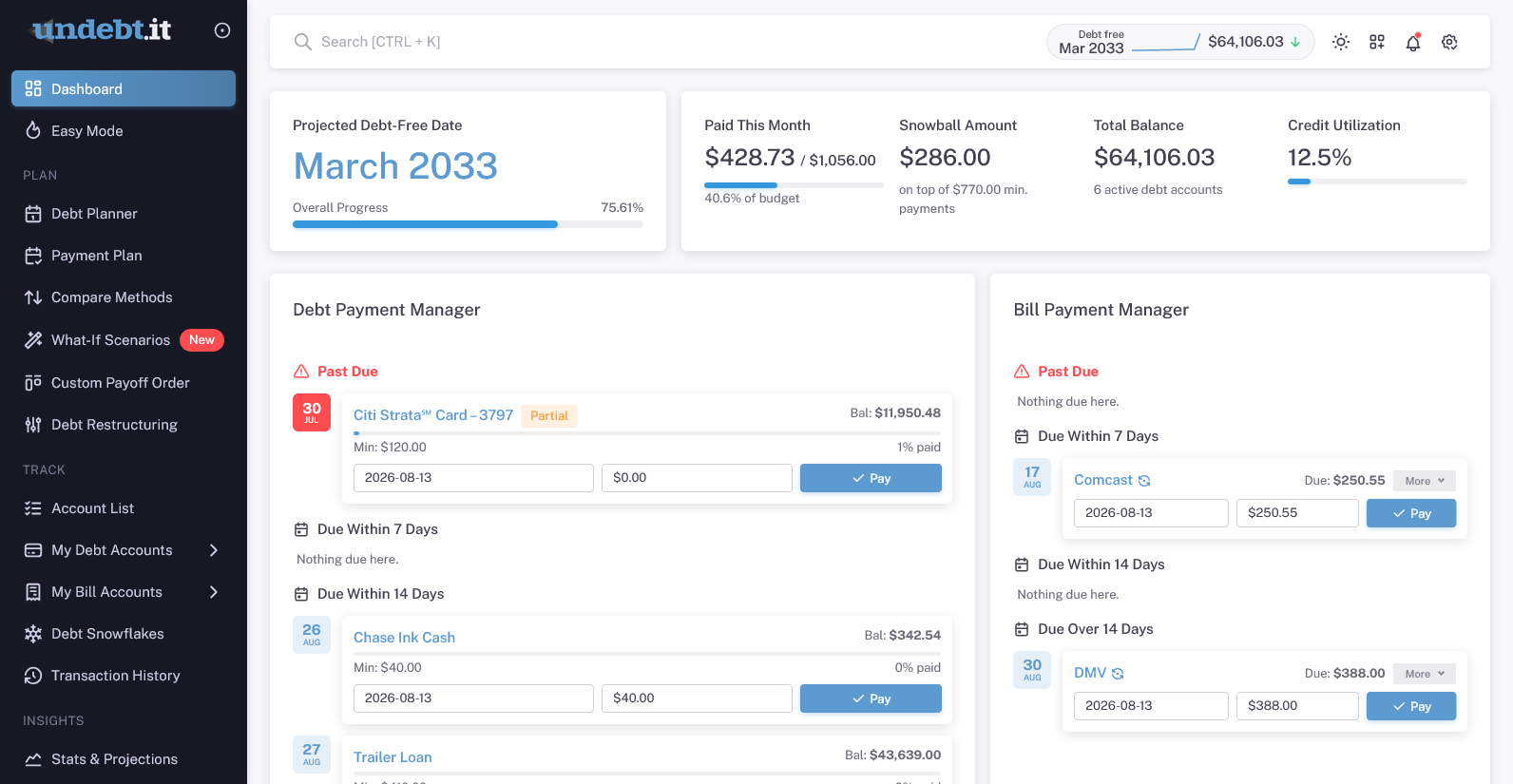
Each one of the core pages gets a facelift and layout adjustment. I should also point out that the dot next to the logo will let you collapse the menu if you prefer the icon-only mode.
The Dashboard
The default landing page gets a refresh but stays largely intact. Premium members still get access to an improved version of the calendar and bill payment reminders.
Easy Mode
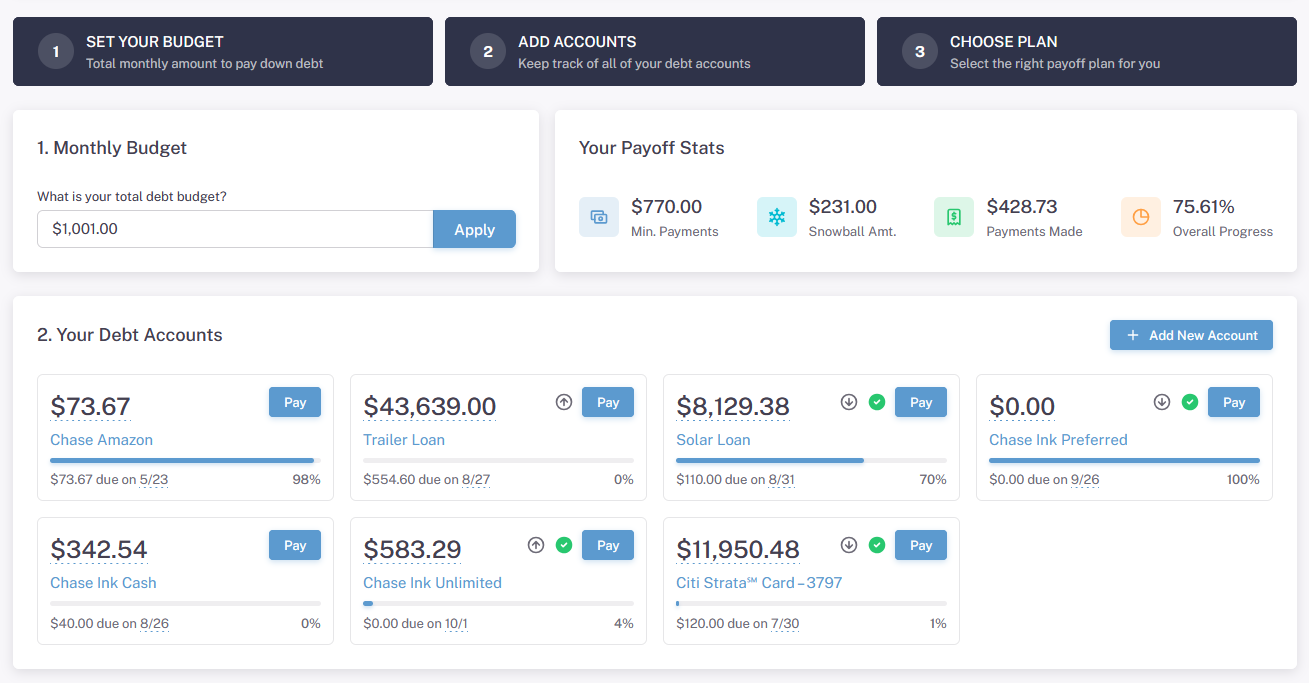
Another one of the optional landing pages, Easy Mode is a one-stop-shop for your debt payoff needs. You can change your monthly budget, payoff method and even download your payoff plan in one place. You can also record debt payments and add new accounts as needed.
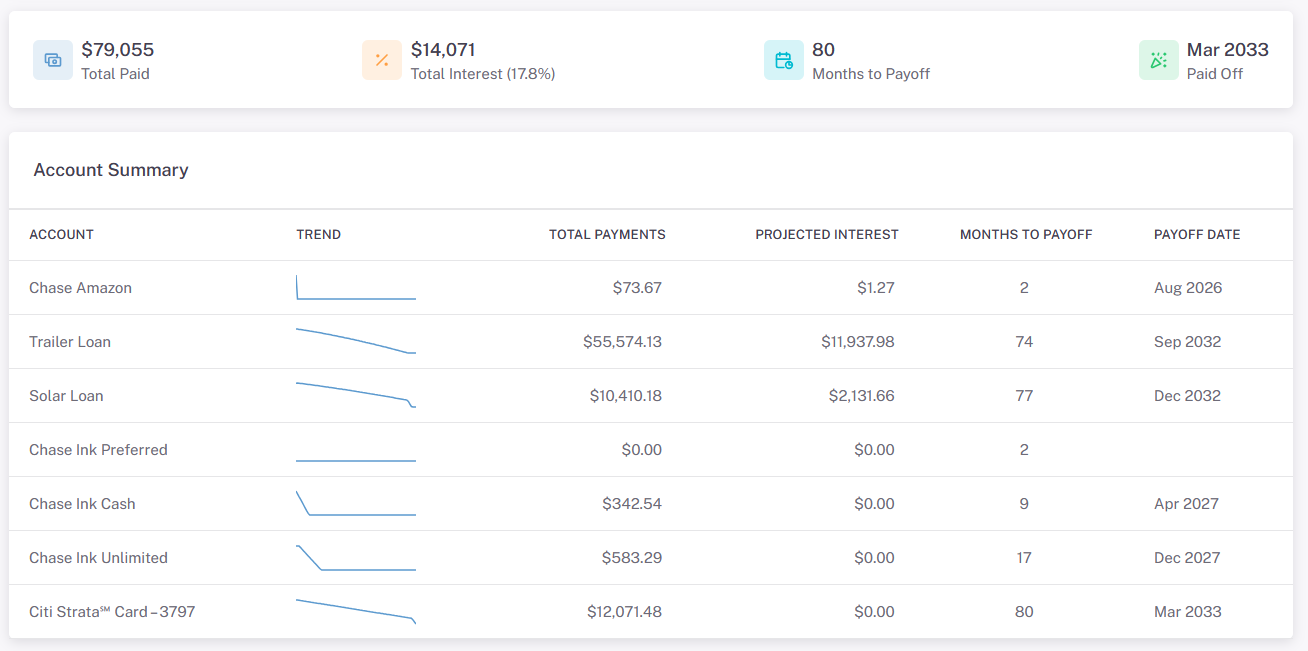
The summary view has been improved with some per-account trend lines. You can view all of the key account information in this single section.
The Planning Pages
Here’s where a lot of homework gets done. Planning is very important and this set of pages will help keep you on track. Once thing to note is that the Snowball Table page has been renamed to Payment Plan on the menu. Lots of changes here too. Let’s look at each page.
Compare Payoff Methods
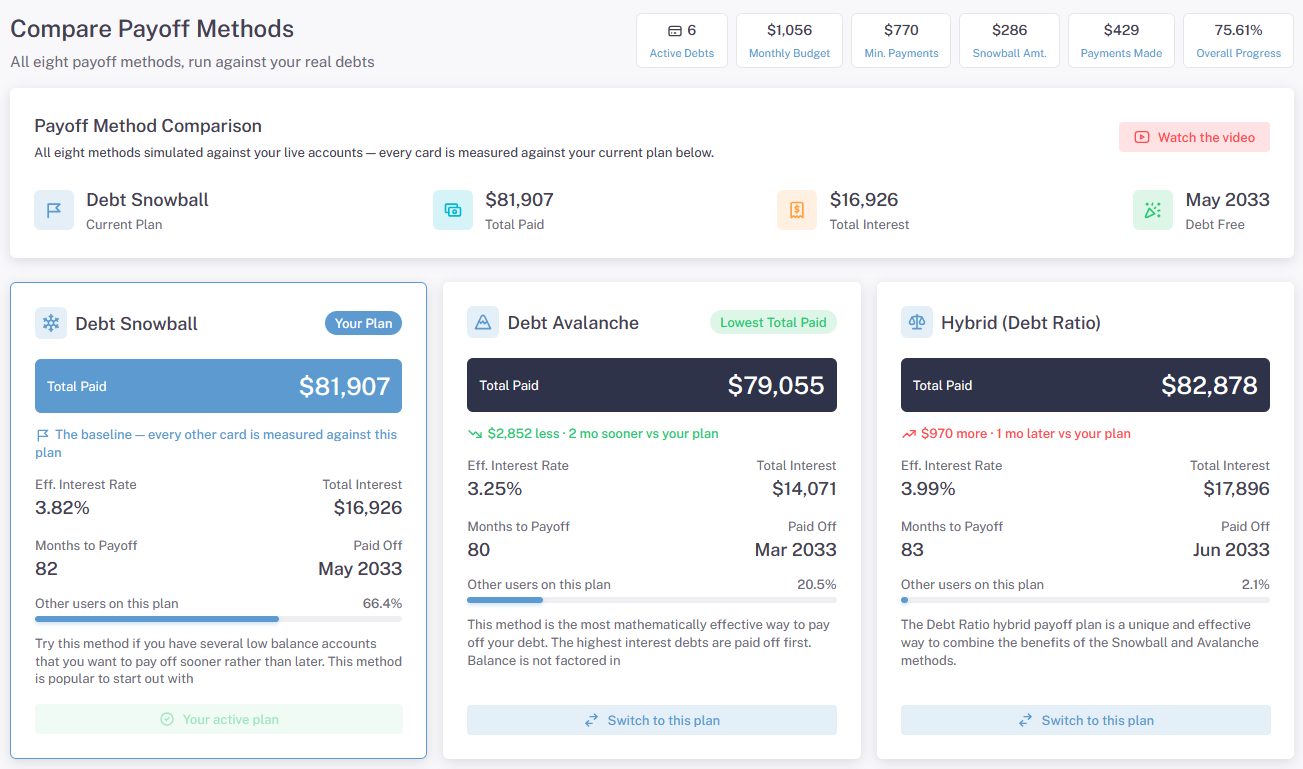
You can see how each of the 8 Undebt.it payoff plans stack up against each other. In the example below, my currently selected plan is the debt snowball. You can see how much money you will save if you switch over to the debt avalanche method. Click the “switch to this plan” to make the change live.
What-if Scenarios (premium)
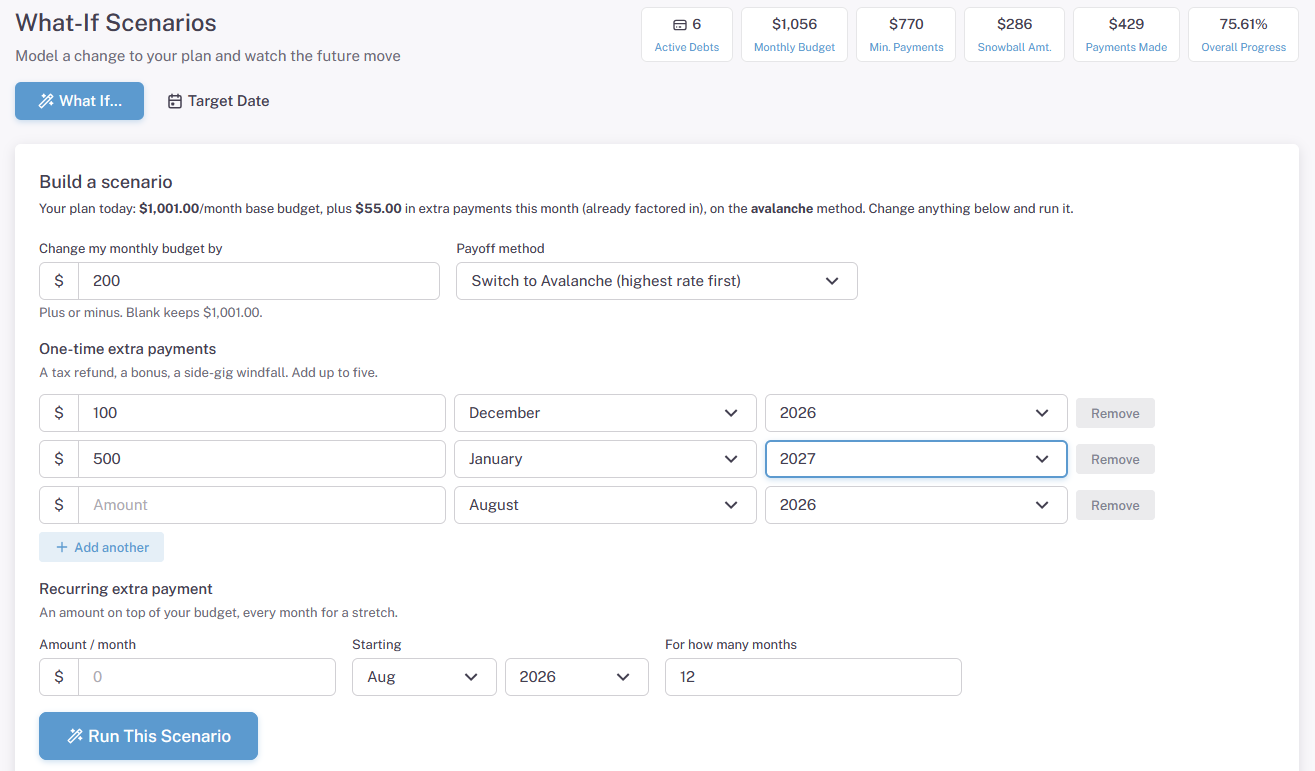
This is a brand new page and was quite a trick to put together. It’s a very powerful tool that lets you do complex debt payoff planning. You can see how a simple increase in your monthly budget would affect your debt free date. You can also add in more variables, like adding individual debt snowflake additional payments or even a stretch of consecutive snowflake payments.
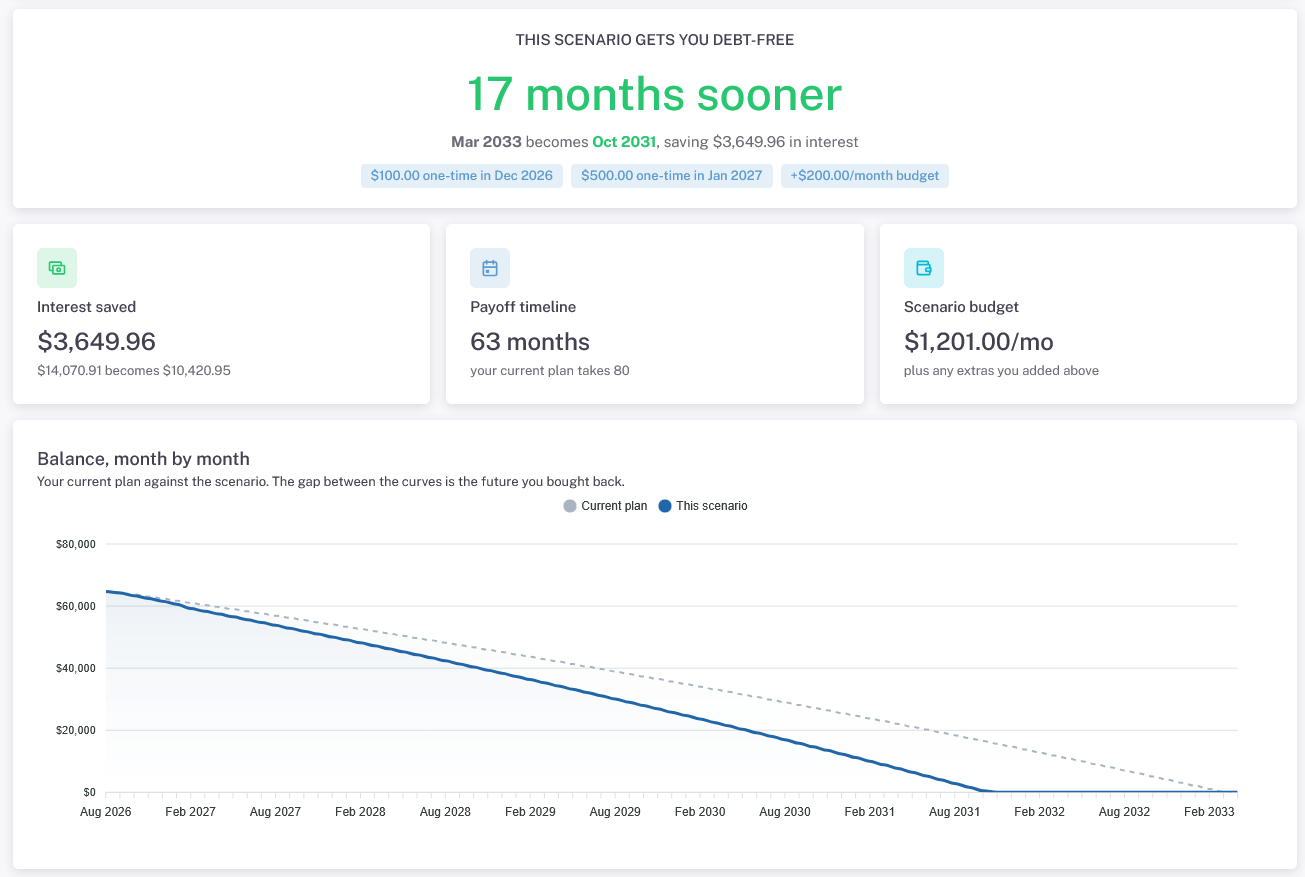
The results show you the detailed what-if projection information including the new debt free date.
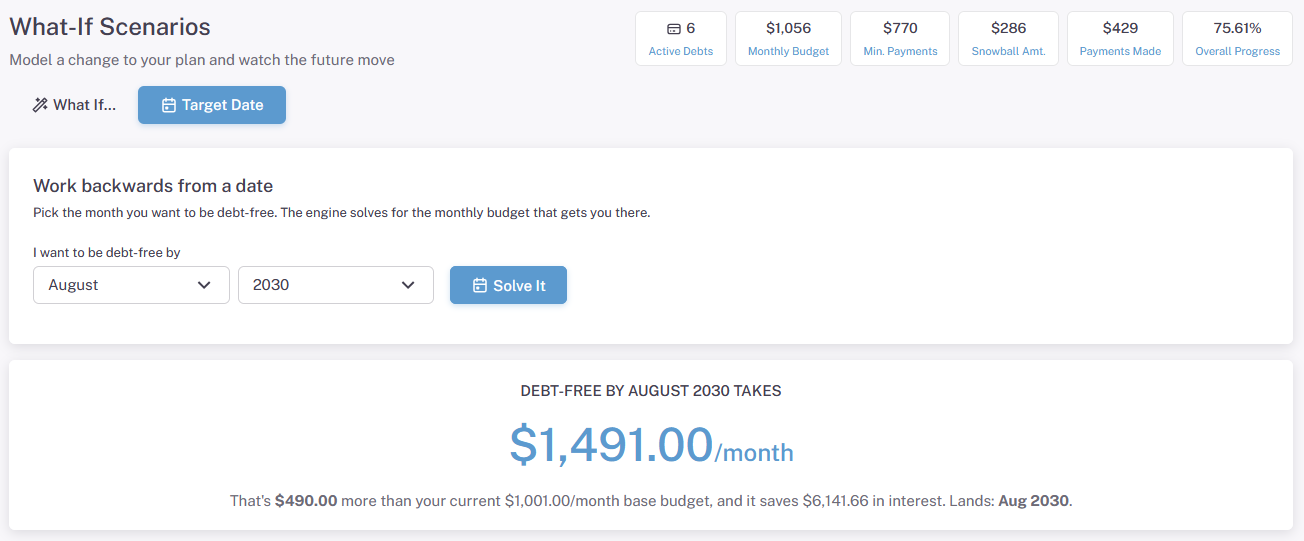
The other killer feature of this page is the ability to determine the monthly budget needed to be debt free by a certain date. Working backwards from a date has been an often requested feature and I’m glad it’s finally here.
Debt Restructuring (premium)
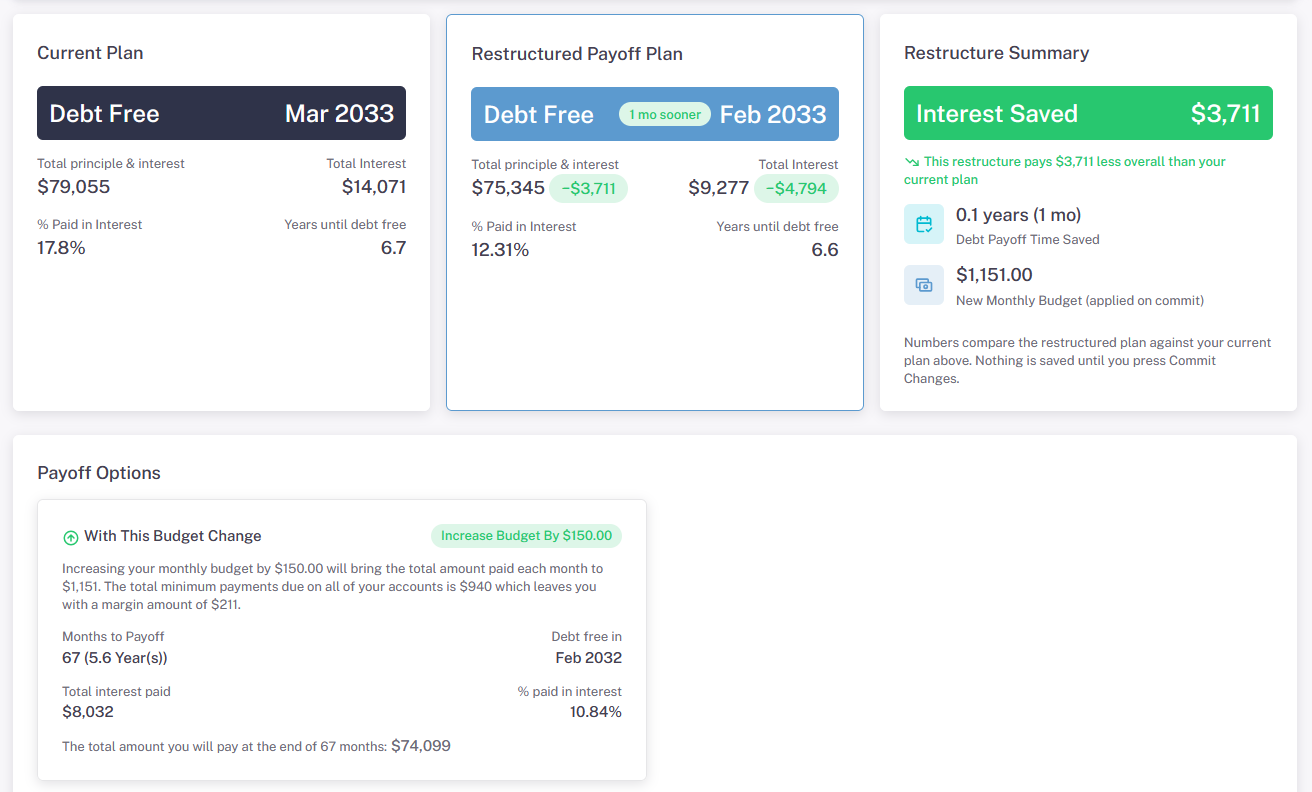
This is one of older pages on the site and it hasn’t gotten a lot of attention. This page lets you plan debt consolidation loans to see if you will be better off. You choose your current debt accounts and enter the terms of the new loan. You can also optionally see how the plan will look in you increase or decrease your monthly budget by a certain amount.
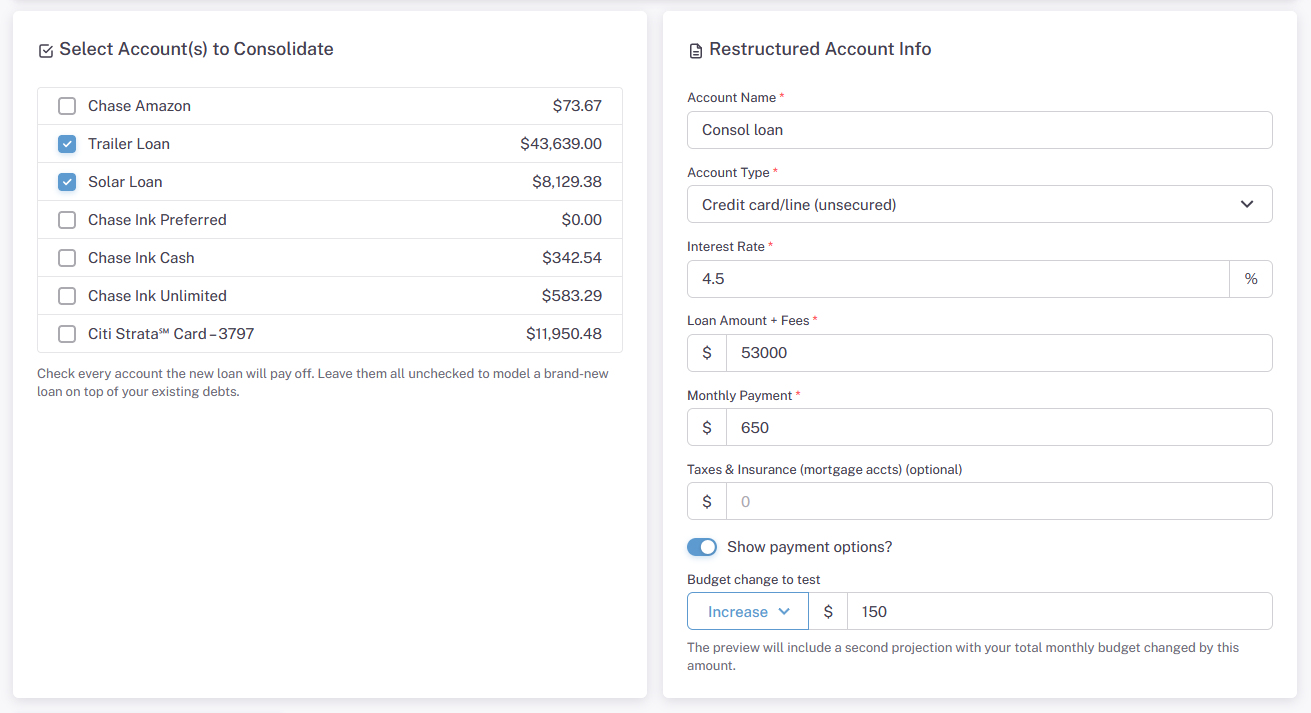
The results show how your current plan stacks up against the proposed plan and provides a detailed restructure summary. You can optionally save the proposed plan; which marks the existing debt accounts as inactive and creates a new debt account.
Debt & Bill Account Management
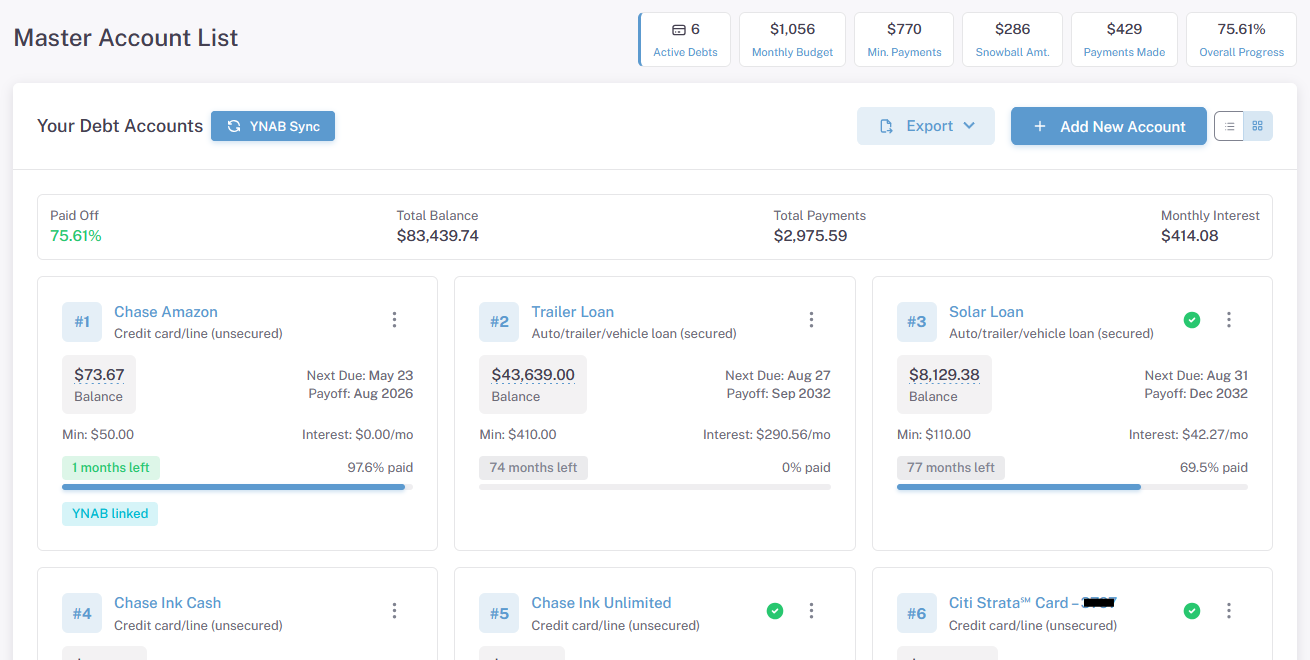
The account list page gets a major overhaul in this version. The default view is a data card format instead a list. Debts are shown in order of the payoff plan. You can export or print the account information from here too. Note the dotted lines underneath the account balance; anytime you see a dotted line, you can click the number to edit it. Clicking on the 3 dots on the right hand side of card will let you quick edit the account information. Clicking on the account name will send you to the debt details page. You can also enable or disable the account from the 3 dot menu as well.
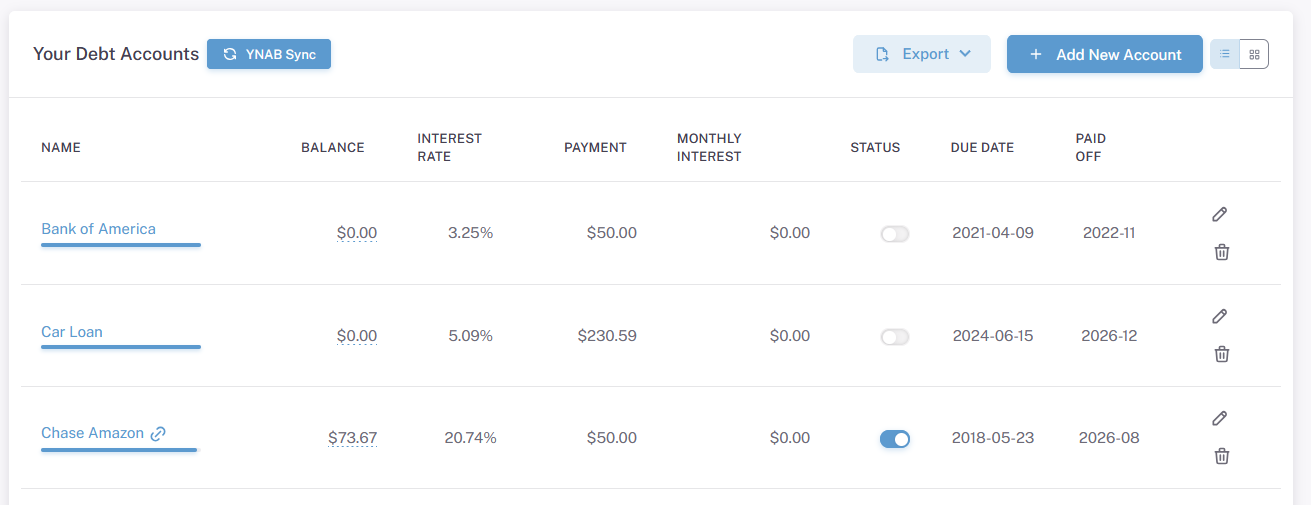
If you like the old, table list version, you can have that too. The choice you make should stick and is device-specific (you can use cards for your mobile device and tables for your desktop).
If you use the Bill Management option, they will show up too. The bill accounts have their own card format.
Debt Account Details
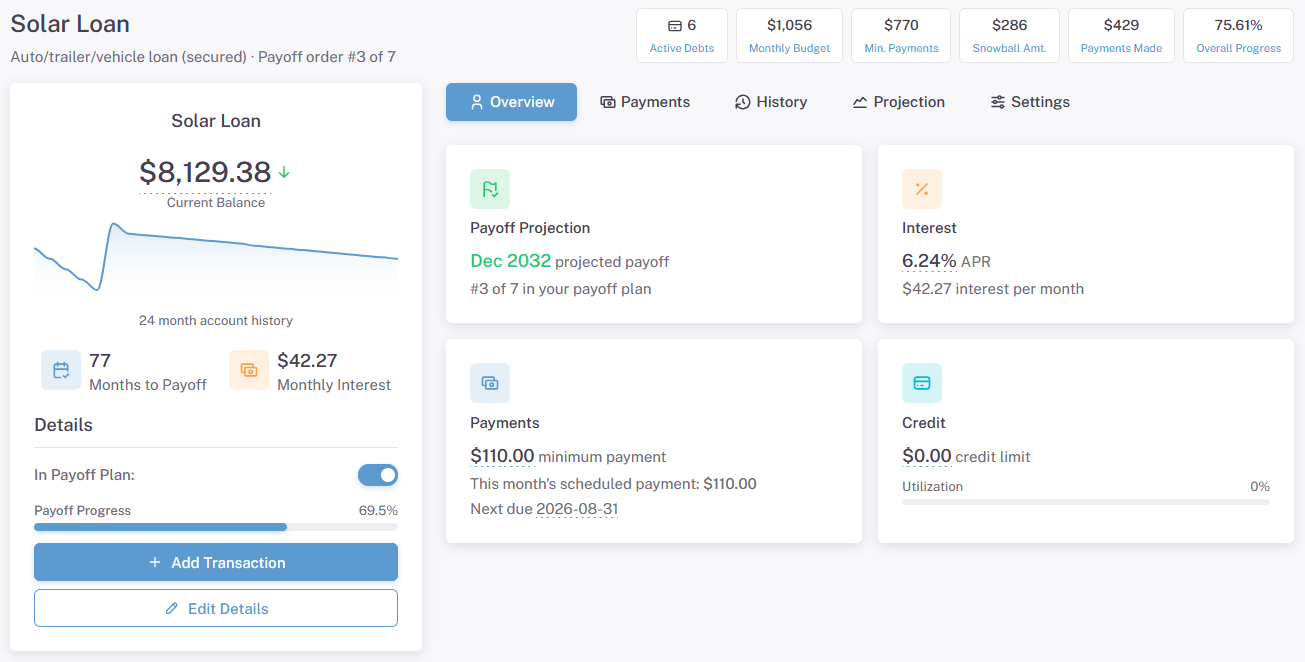
The debt details page is setup the same way it was before. A new historical graph format replaces the old bar chart version. There is an Edit Details button at the bottom that brings up the quick edit side menu.
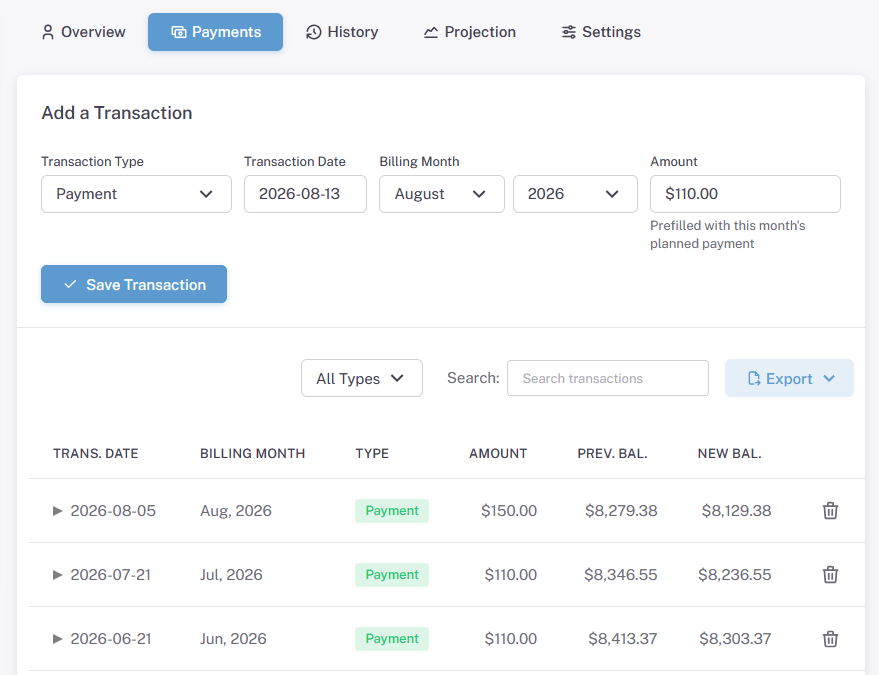
The Payments tab will be relabeled to Transactions when the site goes live. It shows all payments and purchases on the account. You can export or print them if you want.
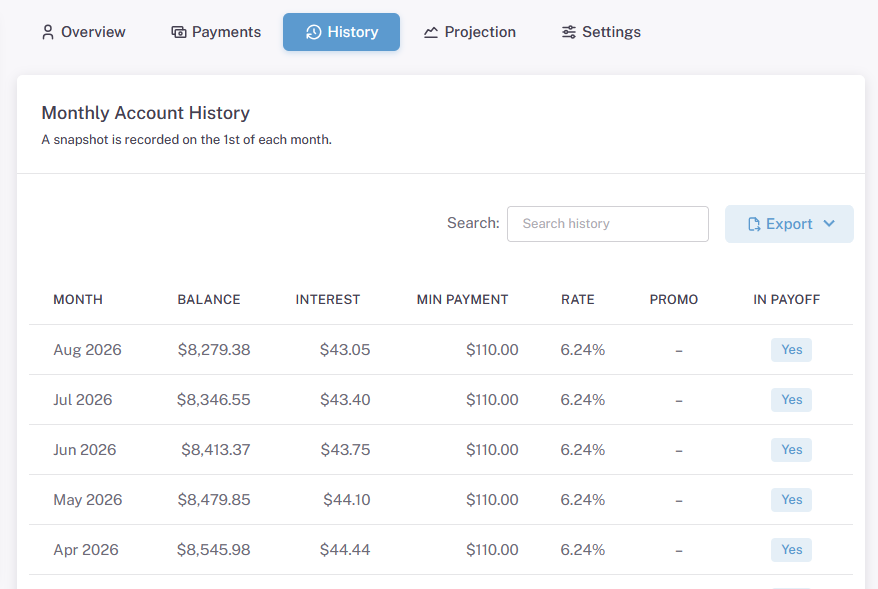
The History tab shows the status of the account at the first of every month. On the first day of the month, a snapshot of your account is created and it’s used for tracking your historical progress.
The Projection tab shows the future of the account in monthly buckets. Seeing how much interest you are paying each month is a real eye opener.
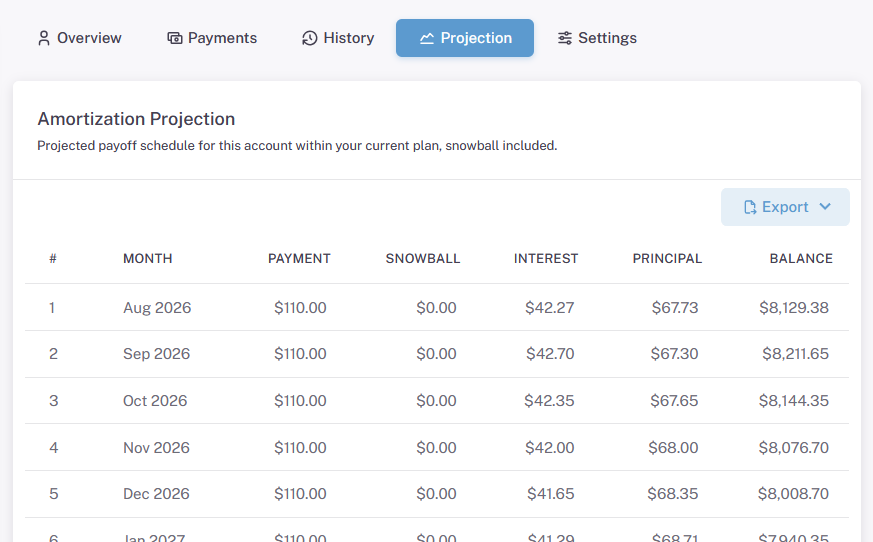
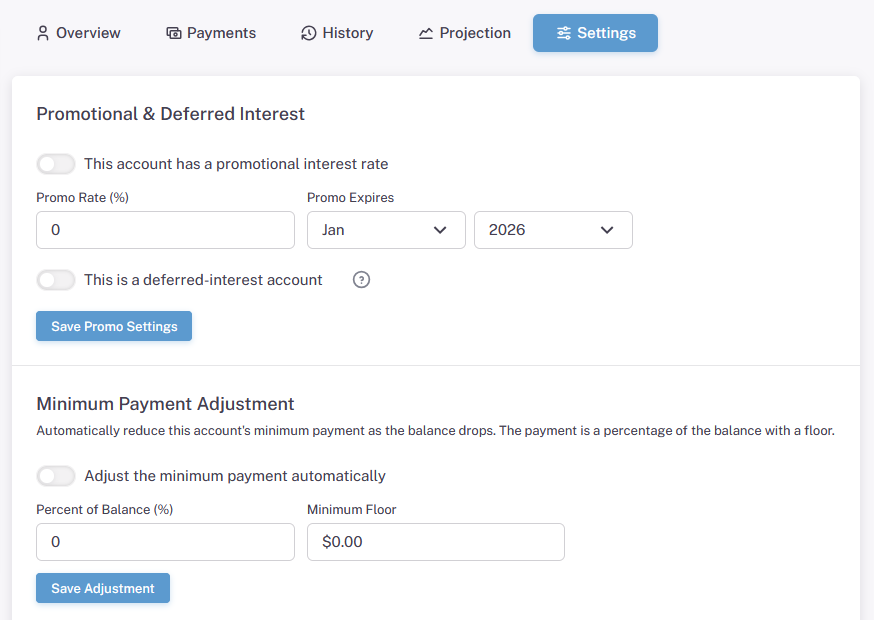
The Settings tab is where you control the promotional interest rate and minimum payment adjustment settings. You can also set your payment reminder and add notes here. The delete account button is at the bottom of this tab. Note that deleting the account is immediate and permanent.
Bill Account Details
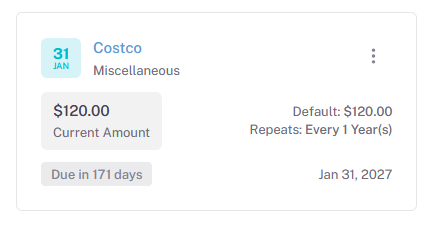
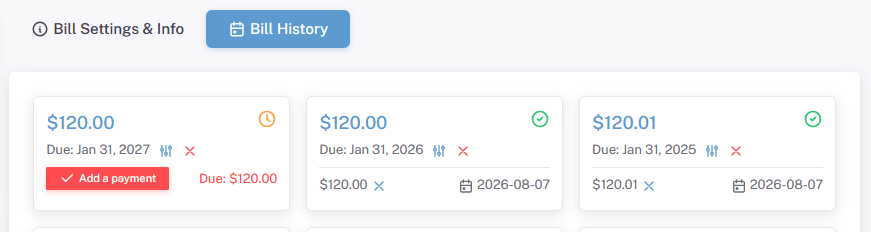
Bill accounts have a similar setup. The History tab is where the actual bills live. These represent the individual bills that need to be paid. In this example, I have a yearly bill from Costco that is schedule to be paid next year.
The Insights Section
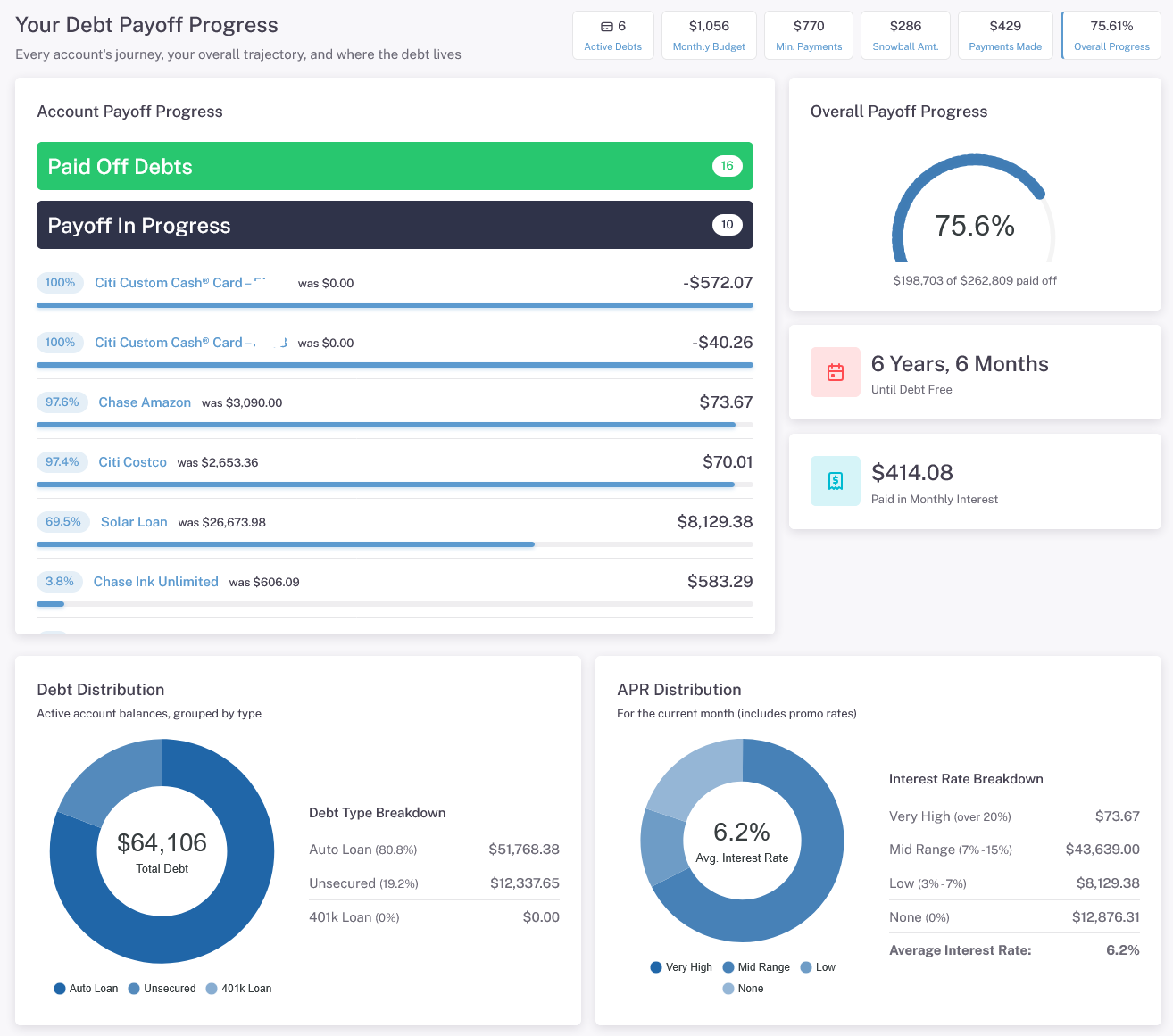
This section is where you can see a birds eye view of your debt payoff progress. The Your Progress page shows you the accounts you have paid off and the ones you are still working on.
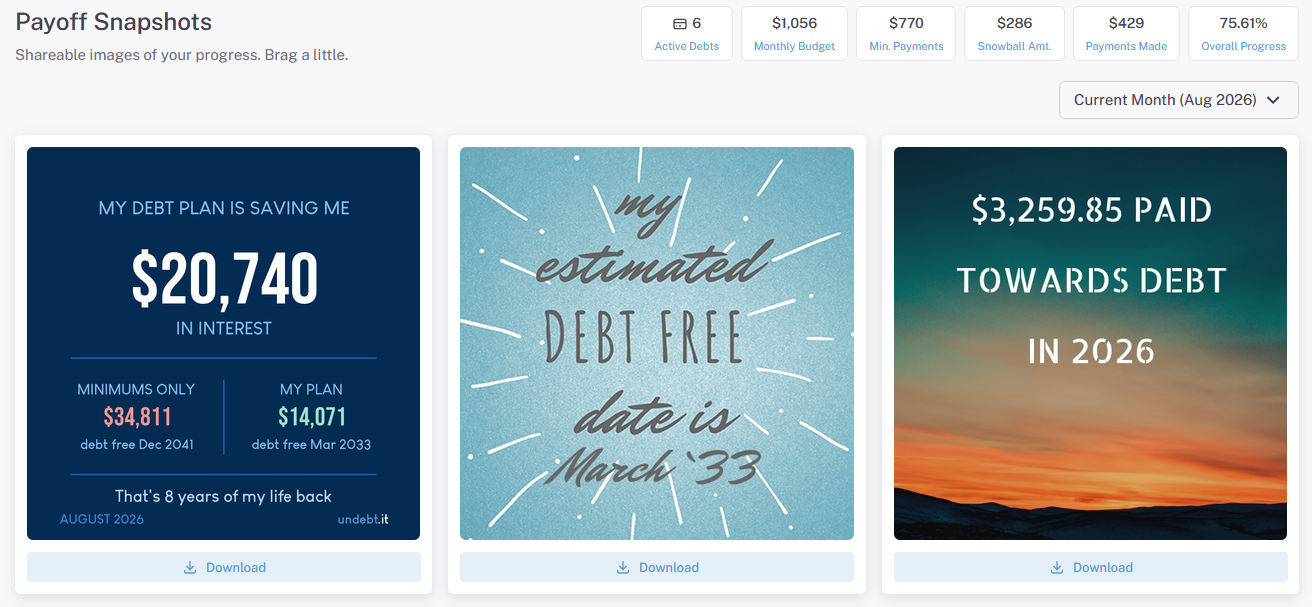
The Payoff Snapshots page creates downloadable infographics you can keep or share if you want. They are automatically created with your current information. There is a new snapshot in the #1 slot that is new for this version. Also note that you can get to your past graphics by using the pulldown menu on the right hand side. The old site had a separate page for the historical snapshots.
The Tools Section
The tools section is optional, premium content that’s available to Undebt.it+ members.
Undebt.AI
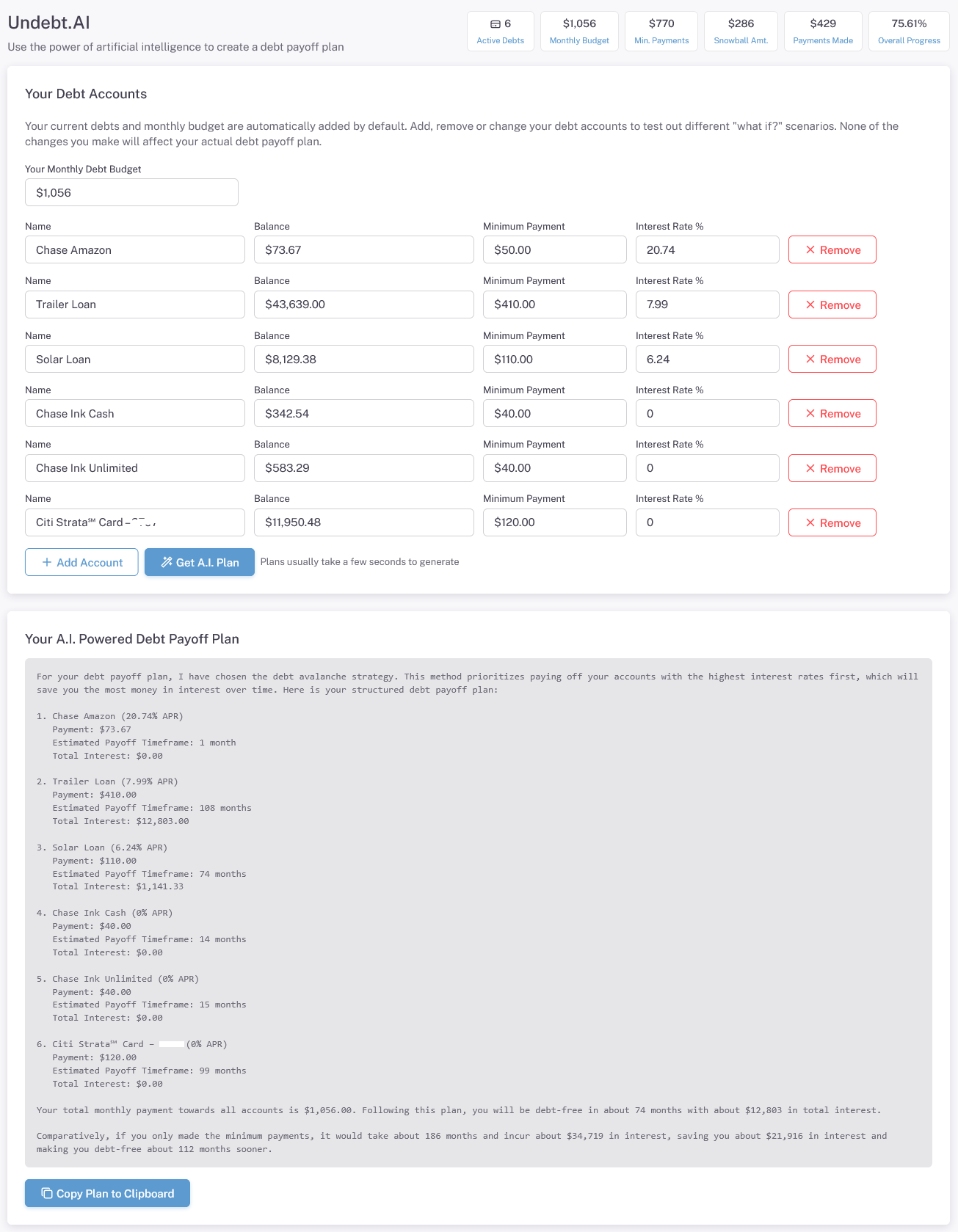
Undebt.ai auto populates your current plan and then sends it over for instant AI analysis. You can also edit the account information as much as you want. Use this if you want AI to look over your debt consolidation ideas. Performance on this page has been dramatically increased over the past month, so give it a shot if you haven’t looked at it lately.
YNAB Syncing
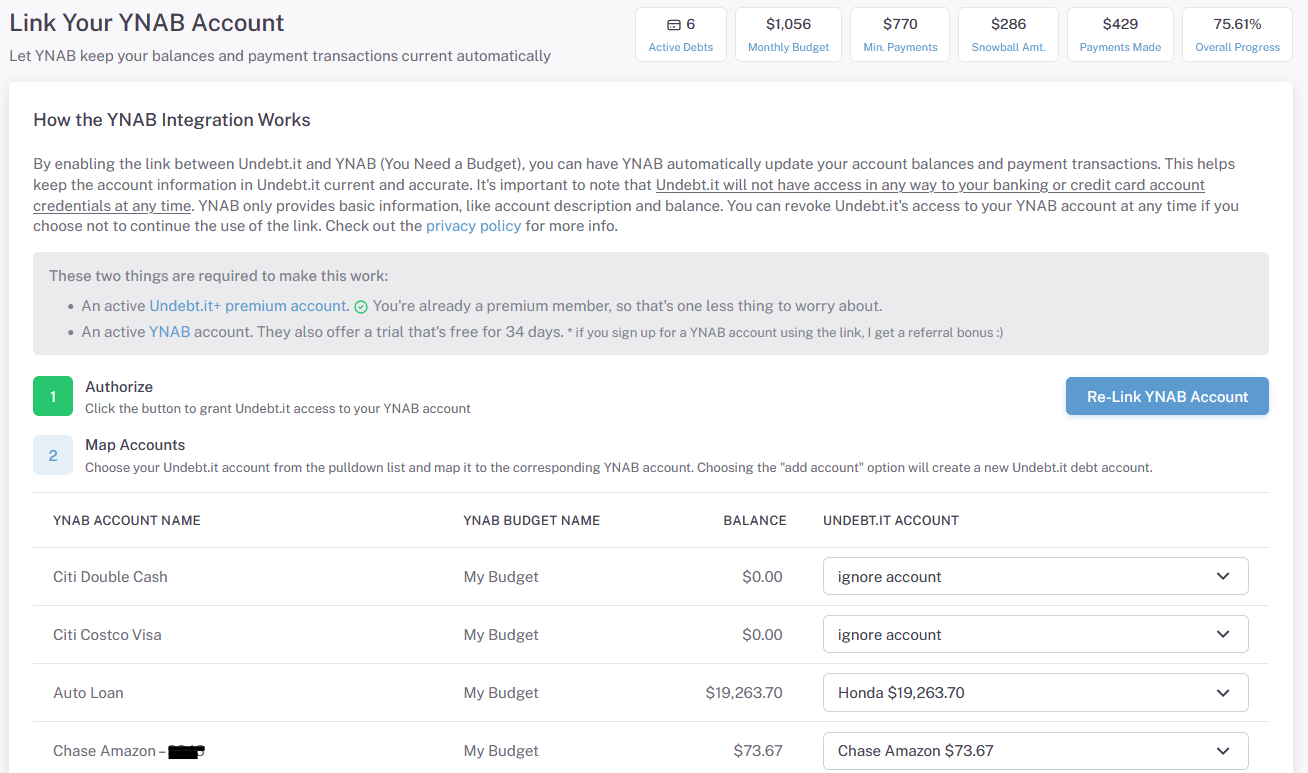
If you are a YNAB user, this is a great way to automatically keep your account balances up to date. Once you authorize your account, you can map out your YNAB & Undebt.it accounts. The YNAB code recently was rebuilt from the ground up, so if you had transaction import problems before; give it another shot. It’s much more efficient and accurate now.
Printable Payoff Plan
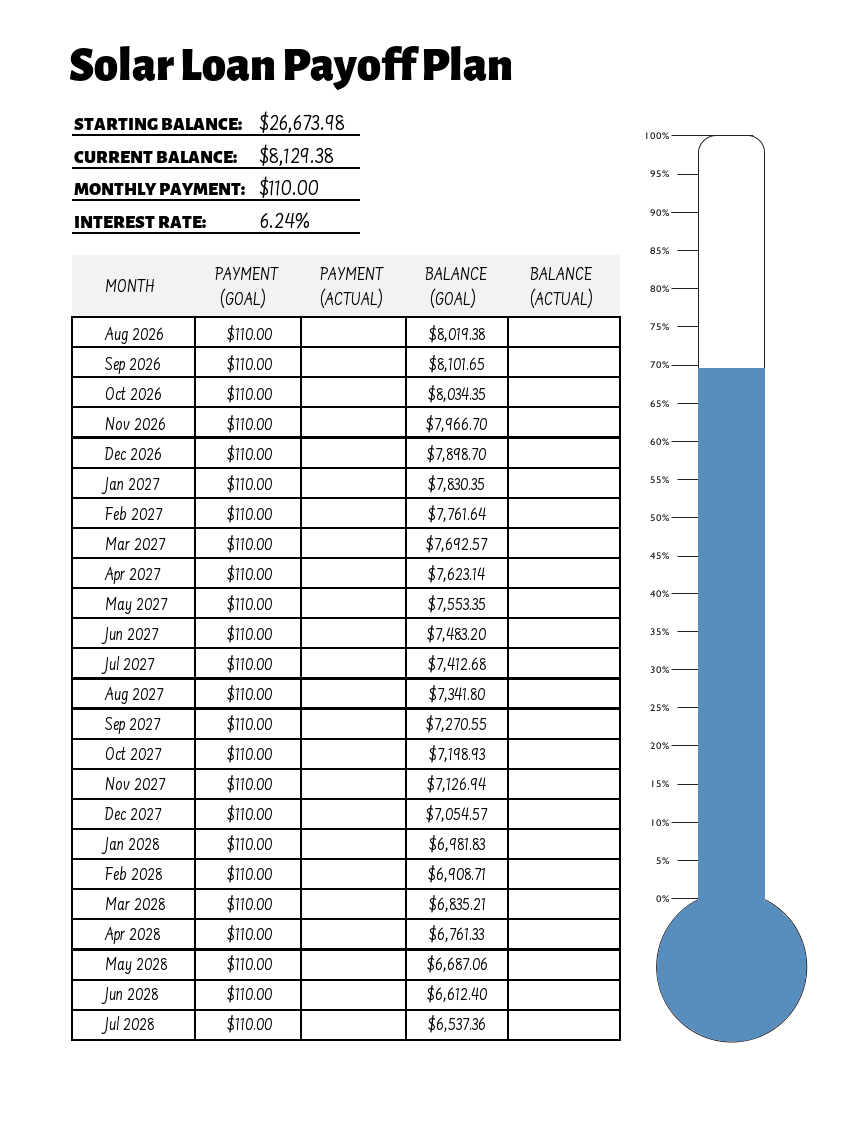
Use this page to create printable payoff sheets for your debt accounts. Stick it on your fridge to help stay motivated. New in this version is the ability to print a blank template.
My Account
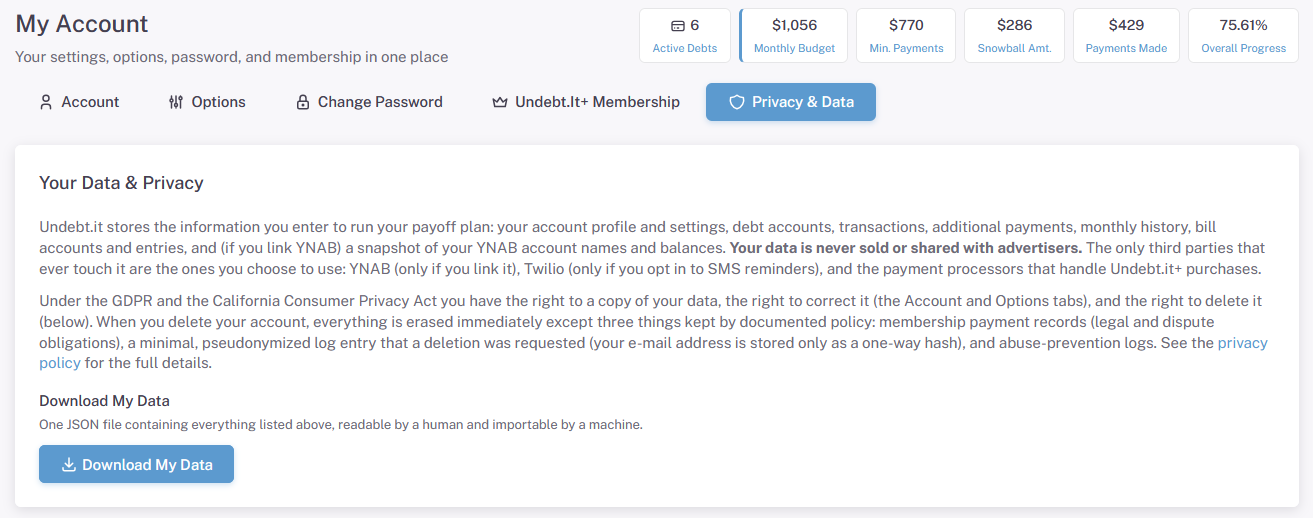
The My Account page has stayed mostly the same. The one big change I am happy about are the steps toward GDPR & CCPA compliance. Just a reminder that I don’t sell your information and you can delete it any time. Once it’s gone, it’s gone.
Wrapping it Up
I hope everyone likes the new version of the site. It’s been a fun project and I hope to keep adding new free and premium features. Keep in mind that there were a lot of behind the scene changes, so there may be some odd things that pop up. Please contact me if you run into any bugs or have feature ideas.
Also note that I have cut down on the amount of ads over the past month. Signing up for Undebt.it+ helps offset the cost of running the site, so please keep that in mind. I think you get pretty good value for $10/year.
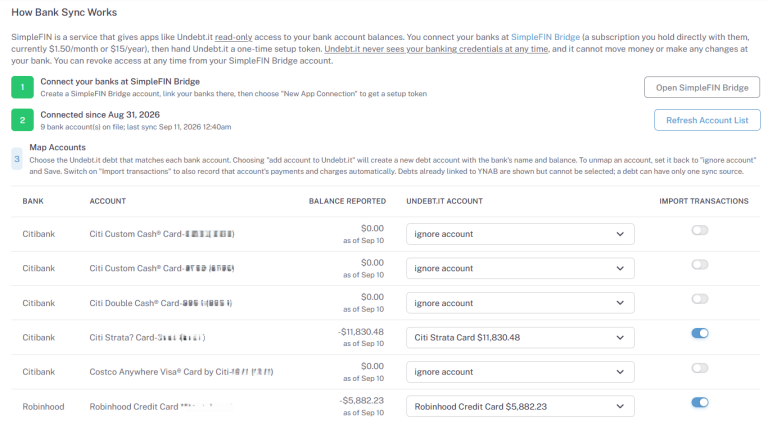
More features have been added! Check out how to install the Undebt.it mobile apps and how to sync with your bank.


Excellent work! I’ve been using this program for a long tim. It keeps me organized and I’m able to financially strategize my longterm goals
I like the new look! Very clean and well done!
[…] would never be an Undebt.it mobile app, the time is finally here (and it’s free!). With the newly released website redesign, it was very easy to create installable apps for both Apple and Android. On the technical side, […]