The dashboard shows everything. Plan.it shows what matters this week. Both read the same plan, so nothing is duplicated; Plan.it is a view, not a second system. I designed Plan.it to give you a simple way to view and manage all of your debts and bills in single place. There are two components to the page; a week view and a month view.
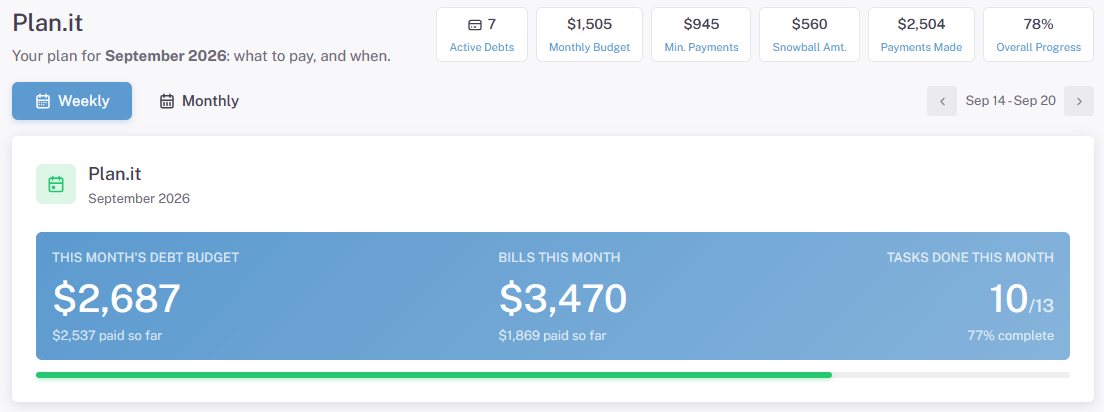
What you see
- Every debt in your plan with the amount to pay this month and the due date, in payoff order.
- A Mark paid button on each one. Tapping it records the planned amount as a payment, the same as logging it on the dashboard. If you paid a different amount, you can change the figure before saving.
- Your extra payment for the month, the debt it goes to, and your projected debt free date.
Once every debt is marked, the month is done. On the first of the next month the list refreshes with the next set of payments.
The Weekly View
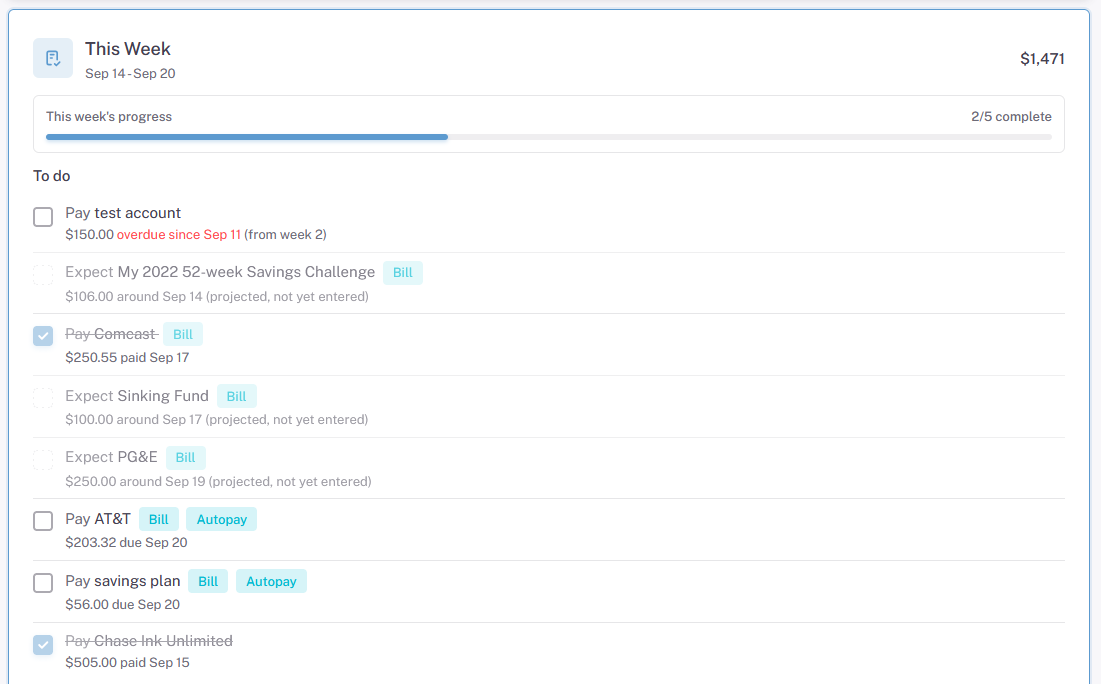
The weekly view is meant to be your daily checklist. If you can mark each account as paid, then you're on track to meeting your payment plan goals. Checking the box marks the account as paid; there's nothing more you need to do.
The Monthly View
The monthly view shows how each week of the month was handled. If you missed a payment last week, you'll be able to see it. Keep those check marks green.
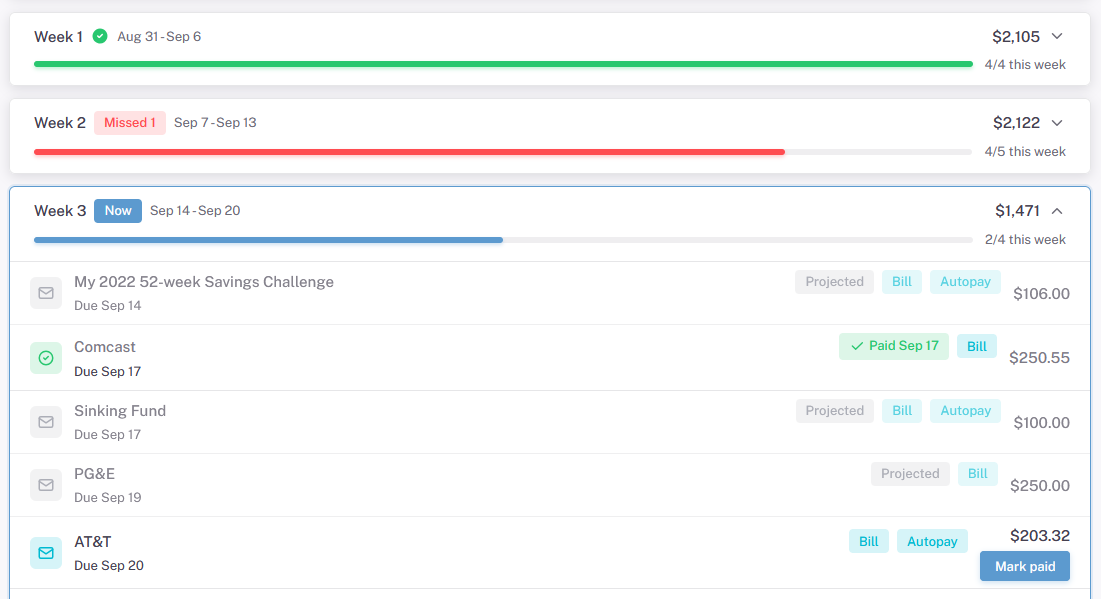
One thing to note is you'll see some "projected" bills on the schedule. Those represent bills which you will probably get based on their schedule, but have not been created yet.
Who lands on it
New members who go through the guided setup finish on Plan.it, because it is the least intimidating way to see a plan for the first time. Everyone else can reach it from the sidebar.
Making it your home page
Open My Account and set your landing page to Plan.it. You will see it every time you log in, with the full dashboard and the Snowball Table one tap away in the menu. Switch back the same way.
When you want more
Plan.it deliberately leaves out charts, balance history and the month by month table. For those, use the dashboard, the debt's details page or the Snowball Table. Anything you mark paid on Plan.it shows up there too.